 Pachat.ai
OpenClaw Multiple Agents: How to Set Up and Split Work in an Agent Team
Updated 2026-11
TL;DR: OpenClaw can run multiple isolated agents in one Gateway, each with its own workspace, state and chat history, and you add them with openclaw agents add or the New agent button in the Control UI. The setup that works best is a small team: one chief of staff or manager agent that hands out work and checks it, plus specialists such as a researcher, a writer and a reviewer. Split tasks by job so no single agent drowns in context.
Why One OpenClaw Agent Is Not Enough
One agent that does everything is where most OpenClaw setups stall. Most people run OpenClaw with one agent that does everything, but the best work usually comes from a team where each person has one specialist job. In OpenClaw, "multiple agents" means 2 or more isolated agents running in one Gateway, each with its own workspace, memory files and chat history, as the official docs describe it in November 2026. Instead of one assistant juggling everything, each agent gets one job and a clean context.
Where people stumble with OpenClaw is they think they can throw any task at a single agent and get great results, and then they get really frustrated.
Your OpenClaw sometimes forgets what you talked about yesterday. It sometimes loses access to your email and asks you to reauthenticate.
This really comes down to one concept that you're all really familiar with, which is context overload. The longer you go and fill out the context window, the harder it is for the agent to do a good job at the task at hand.
How OpenClaw Multiple Agents Work in One Gateway
OpenClaw multiple agents are isolated agents that share one Gateway process but keep their own memory, files and logins. The multi-agent routing page in the OpenClaw docs, checked in November 2026, says one Gateway can run multiple isolated agents, each with its own workspace, state directory (agentDir) and SQLite-backed session history. A binding is the rule that maps a channel account, such as a Slack workspace or one of 2 WhatsApp numbers, to one of those agents. A second agent also does not have to be a new persona; it can be a separate job, like reviewing pull requests.
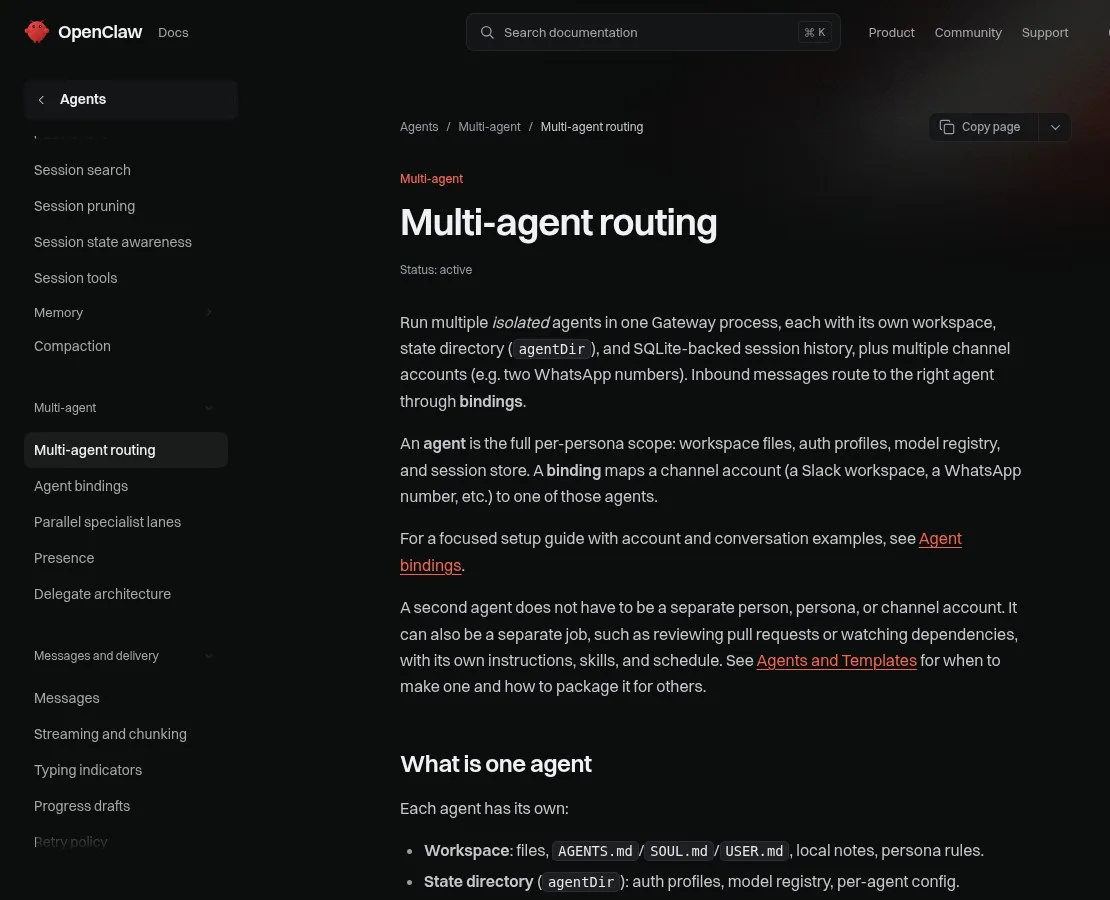
Screenshot of the Multi-agent routing page in the official OpenClaw docs, November 2026.
| Each agent has its own | What lives there |
|---|---|
| Workspace | Files, AGENTS.md / SOUL.md / USER.md, local notes, persona rules |
State directory (agentDir) | Auth profiles, model registry, per-agent config |
| Session store | Chat history and routing state |
| Skills | Workspace skills plus shared ones, filtered by that agent's allowlist |
That separation is the real point. You can manage your context window, and OpenClaw does, but you manage context windows even more efficiently by sectioning off which tasks go to which agent.
Take two agents named Polly and Finn, a work assistant and a family assistant. They're both doing scheduling and calendaring and email. But Polly has enough to worry about with the work stuff that you don't need her thinking about the kids soccer schedule.
You would hire different people to do this job in real life. So hire different agents to do this job in your agent team.
And once you get that unlocked, you start creating agents.
How to Set Up OpenClaw Multiple Agents as a Specialist Team
Setting up a specialist team in OpenClaw is a job of 1 menu click or 1 command. So now in OpenClaw, you can set up a specialist team to get all your work done. As of November 2026, the docs describe a team preset that is made of 4 agents: a chief of staff (the coordinator), a researcher, a writer and a reviewer, each with its own workspace. The chief of staff remains your point of contact. It assigns bounded work, checks the specialists' artifacts and reports one result back to you.
Here's the setup in the Control UI:
- Select agents and then select new agent.
- You can pick a single specialist or choose a small team of agents.
- Then OpenClaw shows you the proposal: the chief of staff, the researcher, the writer and the reviewer.
- Nothing gets created until you approve it. And once you approve it, your team's all there.
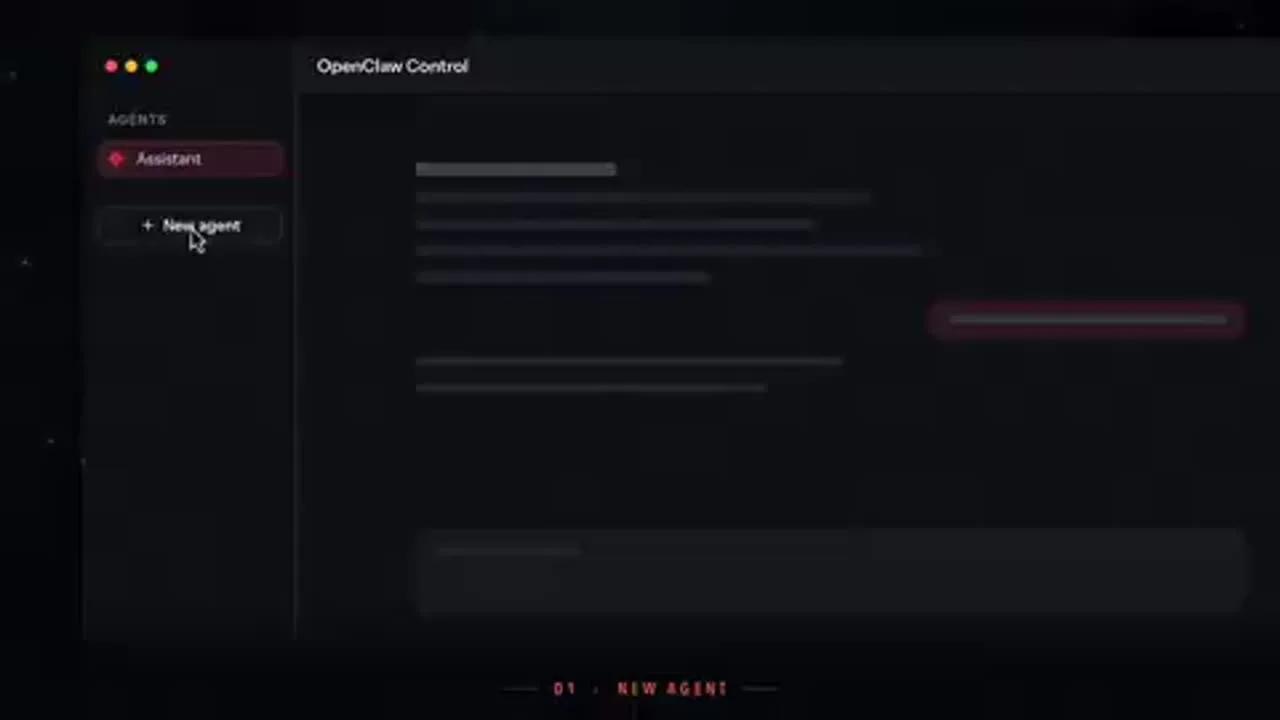
Frame from an @heyneighbor video showing the New agent button in OpenClaw Control, November 2026.
If you prefer the terminal, these are the commands from the official docs:
| Task | Command |
|---|---|
| Add one isolated agent | openclaw agents add work |
| Check which channels route to which agent | openclaw agents list --bindings |
| Create the chief of staff + specialist team | openclaw agents team create --non-interactive |
| Give the coordinator a job | openclaw agent --agent coordinator --message "..." |
| See who created which agent | openclaw agents list --tree |
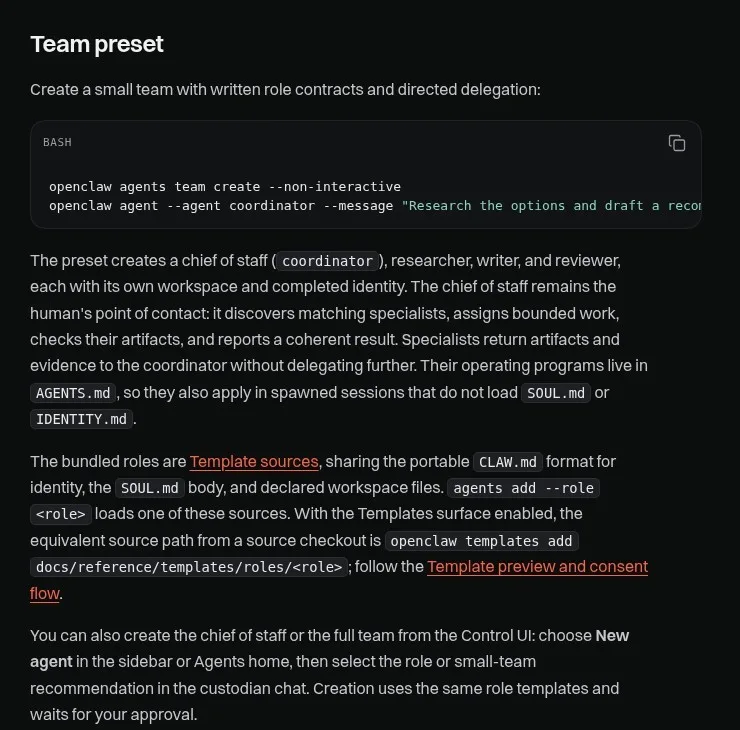
Screenshot of the Team preset section in the OpenClaw docs, November 2026.
Here's an example of how you might use it. Every time you ship a release, you need a new post. That used to be one long chat where you do all the fact checking yourself. Now you ask the chief of staff once and it runs the whole process.
Ask for a launch post for the 10.10 release. The chief of staff hands it to the researcher who reads the release notes. Then the writer turns those notes into a draft. Then the reviewer checks those facts and tone.
What comes back to you is a finished post that's already been researched, drafted and reviewed. That's specialist teams.
Two setup rules from the docs are worth keeping:
- Never reuse
agentDiracross agents; it causes auth and session state collisions. - A workspace is the default folder, not a hard sandbox, so turn on sandboxing if agents must not reach other files.
Manager and Worker Agents Keep Quality Consistent
A manager agent that checks a worker agent is the most reliable way to split work between OpenClaw multiple agents. The pattern is simple: 1 agent validates and coordinates, 1 or more agents do the work, and nothing reaches you until the manager has checked it. A March 2026 example is a blog drafter agent connected to a Discord channel so a whole team can use it easily. Behind the scenes, it is not only one agent; there are two agents that work together, the manager agent and the worker agent.
When anyone gives input, the manager agent gets activated first and checks all things, like whether the input is valid and all the needed input is there.
If the input is all good, the input is sent to the worker agent and the worker agent starts working. At each stage, the worker agent sends information to the manager agent to check the quality of the blog.
When it's all done, like all H2 paragraphs, H3 instructions, tables, metadata and research, the manager agent collects all things and generates one final post.md.
The same shape scales up. In one October 2026 setup, an agent was told to apply to 200 scholarships, and it had applied to 51 out of 200. It's able to spin up new agents to come and work to get the job done, and so far it has used 36 different agents.
The orchestration is basically one leading agent and then other working agents. Even though there's a blocker for one scholarship, it can still be doing the work of all the other scholarship applications, or sourcing for more scholarships as well.
It only brings up to you the things that genuinely require your human interaction.
You don't really care about agents themselves, you just care about the outcomes.
Community add-ons push the idea further. Antfarm is pitched as one command and your OpenClaw now runs seven agents: a planner, a coder, a tester, a reviewer. It splits up all the tasks into multiple agents, and you can click into a task to see the details.
Agents verify each other's work. Each agent gets a fresh session with clean context and memory that persists through Git history and progress files.
Bear in mind, all of these tools are only as good as the people who set them up. It still requires your effort, your energy.
Where to Run an OpenClaw Agent Team
A dedicated machine is the cleanest home for an always-on OpenClaw agent team. Running several agents is less about raw power and more about isolation: 1 box that holds the agents, their files and their logins, kept apart from your personal computer. In July 2026, one builder showed an entire OpenClaw team, agents and subagents that handle all of the client work and all of the business work, everything running from one Mac mini. This is the brain, and the main laptop just drives it.
It runs off the main MacBook Pro without a wire. It's literally just plugged into a power cord.
You control what's going on with one mouse, one keyboard and one display, but you get to run two systems. They're running two separate Apple IDs: completely separate and completely isolated.
For the base install, start with how to use OpenClaw. To talk to your agents from your phone, see OpenClaw on Telegram.
Are OpenClaw Multi-Agent Systems Ready for Real Work?
Multi-agent setups are useful today, but they are not polished yet. OpenClaw kind of works, but there's also a lot of trouble it gets into, and crazy multi agent systems aren't actually excellent yet for shipping quality production code. A useful comparison is Claude Code, which came out in February 2025: about 1 year later, in February 2026, it had gone from a rough tool to the standard for many developers. The same path is the likely one for agent teams.
When Claude Code came out, it wasn't actually that useful yet. It's kind of slop. It's very chaotic. It just makes a mess. But this form factor feels like it could eventually work.
Now Claude Code is used for most production code by the heavy adopters. It feels like it is a matter of time until these things stabilize.
So start small: two or three agents with clear jobs beat a fleet nobody checks. If you want other options, compare OpenClaw alternatives, Claude Code agent teams and other AI agent orchestration tools. For how people run several agents in one group chat, see How People Use Multi-Agent Group Chats.
Check Your Agent Team's Output With Pachat
A reviewer agent is one check; a second opinion from different AIs is another. Pachat is a web product at pachat.ai, and the site describes it in 1 line: "Different personal AI agents, in one group chat." As of November 2026, that makes it a simple place to test a finished post, a plan or a recommendation from your OpenClaw team before you act on it, without wiring another agent into your Gateway.
- Copy the final result your chief of staff or manager agent sent back.
- Open pachat.ai and put your Claude, Grok Bot, Muse and ChatGPT dots in one group chat.
- Paste the result and ask what is wrong with it. They check each other's facts and argue it out, then you make the call.
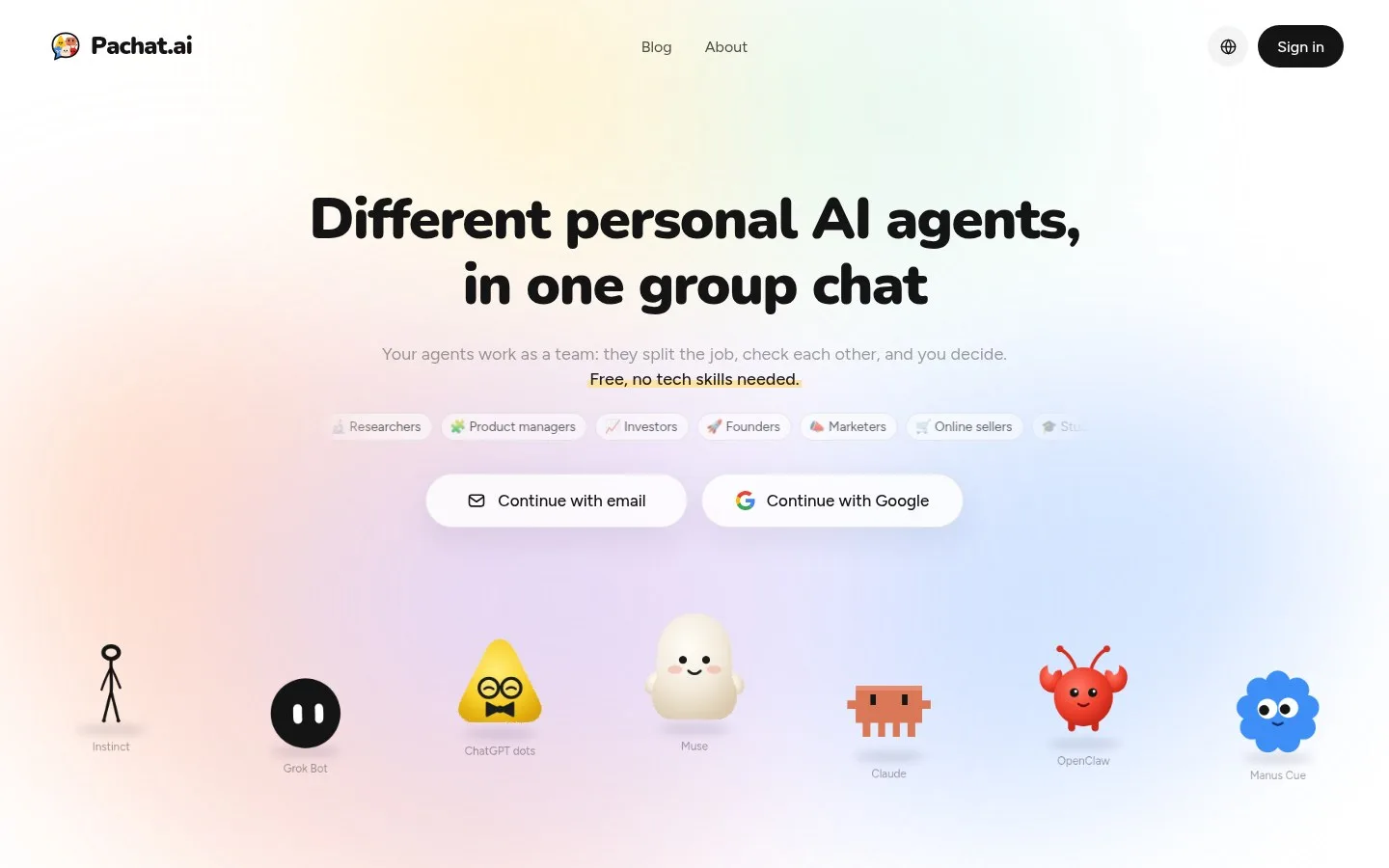
The pachat.ai homepage, November 2026.
FAQ
Can OpenClaw run multiple agents at the same time?
Yes. As of November 2026, the official docs say one Gateway process can run multiple isolated agents, each with its own workspace, state directory and SQLite-backed session history. Inbound messages reach the right agent through bindings, which map a channel account such as a Slack workspace or a WhatsApp number to one agent. If you configure nothing, OpenClaw runs 1 agent with the id main.
How do I add a second agent in OpenClaw?
Run openclaw agents add work in the terminal, or choose New agent in the Control UI sidebar. The command accepts flags such as --role, --workspace, --model and --bind. After adding bindings, check routing with openclaw agents list --bindings. In the Control UI, the Agents page shows the roster, current work status and recent chat previews, as documented in November 2026.
What is the OpenClaw team preset?
It is a ready-made small team created with openclaw agents team create --non-interactive. The preset makes 4 agents: a chief of staff called coordinator, a researcher, a writer and a reviewer, each with its own workspace. The chief of staff is your point of contact; specialists return artifacts and evidence to it without delegating further. You can also create the team from the Control UI, and creation waits for your approval.
Should every task get its own OpenClaw agent?
No. Split by job, not by every task. Give an agent its own lane when its context would crowd out another job, for example a work assistant versus a family assistant, or a reviewer that checks a writer. In 2026, most working setups use 1 manager or chief of staff plus 2 to 4 specialists. More agents means more to check, so add one only when a job keeps getting lost.
Do multiple OpenClaw agents share memory and logins?
Not by default. Each agent has its own workspace, auth profiles and session store, and the docs say never to reuse agentDir across agents because it causes auth and session collisions. Skills can come from a shared root plus each workspace. Note that a workspace is not a hard sandbox: as of November 2026, absolute paths can reach other folders unless sandboxing is enabled.
Can Pachat check what my OpenClaw agents produce?
Yes. Pachat is a web product at pachat.ai: "Different personal AI agents, in one group chat." Copy 1 result from your OpenClaw team, such as a draft or a plan, then put your Claude, Grok Bot, Muse and ChatGPT dots in one group chat and paste it in. They check each other's facts and argue it out, then you make the call. It works in the browser, so there is nothing to add to your Gateway.
Want a second opinion on your agent team's work? Try pachat.ai.
References
- Multi-agent routing, OpenClaw Docs, fetched 2026-11-25
- @heyneighbor, X, 2026-11-18
- @tbpn, X, 2026-02-24
- @lennysan, X, 2026-03-30
- @ParthMakwanaPM, X, 2026-03-11
- @spakcity, X, 2026-10-30
- @JulianGoldieSEO, X, 2026-02-13
- @anton_bt, X, 2026-07-10