 Pachat.ai
OpenClaw Cron Jobs: How to Set Them Up and Make Them Fire
Updated 2026-11
TL;DR: OpenClaw cron jobs live in its built-in scheduler, which the docs now call automations; openclaw cron still works as an alias for openclaw automations. The OpenClaw docs, checked on 2026-11-25, list 5 schedule kinds (at, every, cron, on-exit, stream) and say a cron expression without --tz uses the Gateway host's timezone. Start with one daily job, send its output to a channel you read, and check run history before you add more.
What Are OpenClaw Cron Jobs?
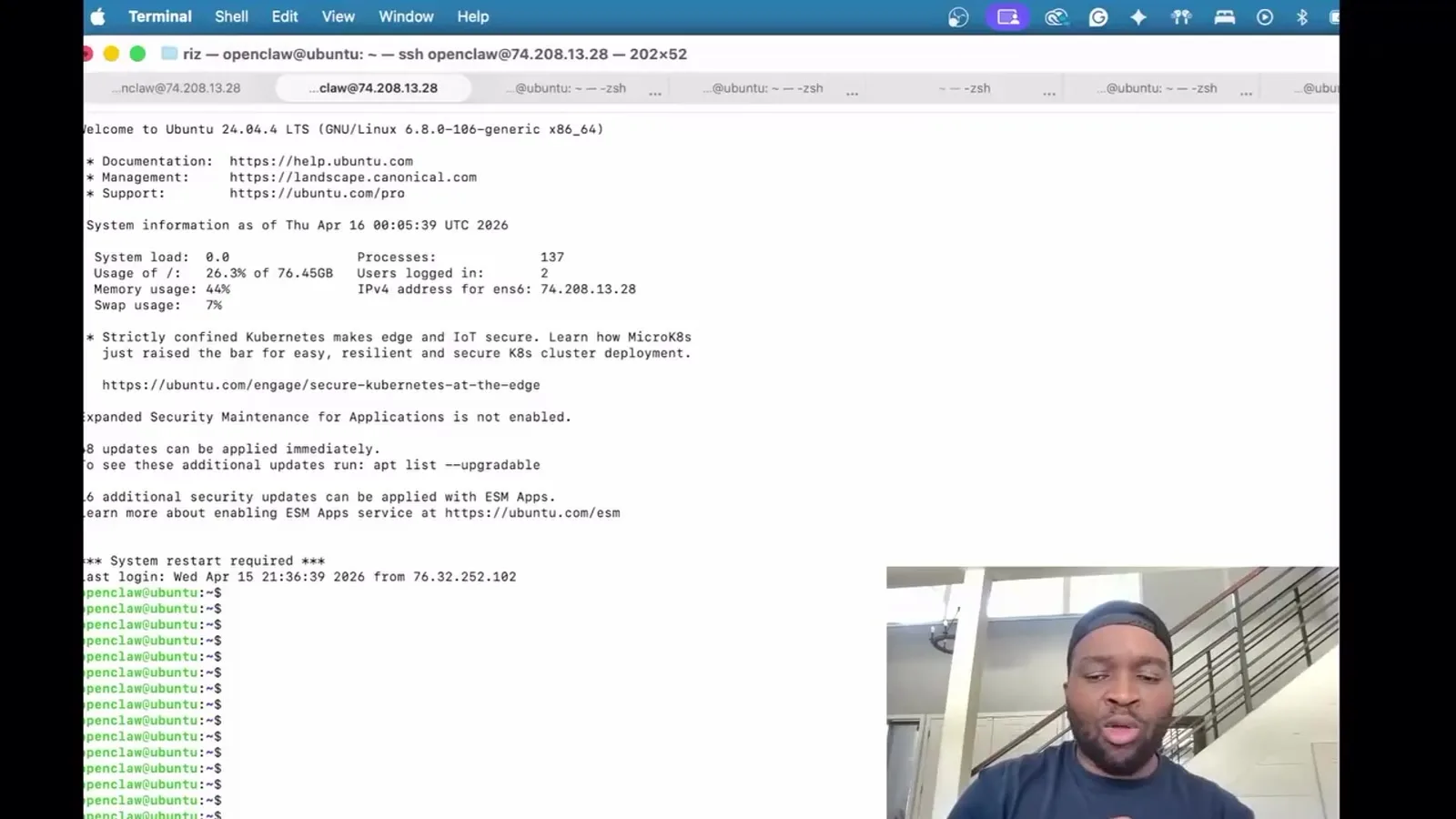
OpenClaw cron jobs are scheduled tasks that wake your agent at a set time and hand it a job. The automations page in the official docs, checked on 2026-11-25, calls them "OpenClaw's built-in scheduler": it persists jobs, wakes the agent at the right time, and can deliver output to a chat channel, a webhook, or nowhere. Since the 2026 rename, you manage them with the openclaw automations CLI, and openclaw cron remains an alias for the same commands, so older tutorials still work.
A cron job is just a scheduled script. It's just like something like, wake up in the morning before anything else, grab yourself a cup of coffee. A scheduled task essentially is a cron job.
Heartbeats are a different thing. They are just essentially pinging your agent to be like, hey, you still on? You still active? You still running? What's up? What are the updates?
A combination between cron jobs and heartbeats is really where a lot of the "oh my God, it's so smart" moments come from. It checked the heartbeat. It had an update. And because the update was over this threshold, it triggered the cron job to run, or it triggered a check of the results from the last cron job that ran.
It's a lot of telephone right now, you know, we're nowhere near AGI.
For the heartbeat side, see OpenClaw heartbeat.
Why People Use OpenClaw Cron Jobs
OpenClaw cron jobs are the reason an agent can feel proactive instead of waiting for your next message. In a March 2026 breakdown comparing OpenClaw with a desktop assistant that only responds to messages, a reviewer pointed to the scheduler as the difference. A lot of the revelations from the OpenClaw world are, oh my God, your thing proactively did this. There are a lot of lower level implementations that allow for cron jobs: say, hey, every six hours, do this. Hey, every 30 minutes, there's a heartbeat that checks this. Check your email five times a day, and it kicks these things off automatically.
At the larger end, one founder described his setup in a May 2026 interview: five weeks ago, he started building AI agents for his travel SaaS company. Today he has 12 of them running 48 automated cron jobs.
OpenClaw is an open source platform where you can manage any agent. They have the memory, they have the identity, they have access to your services, and the main thing is that they have access to your computer.
Smaller jobs are just as useful. In a July 2026 demo, a creator set up a content idea digest: look at what's trending in dev conversation this week and send 3 post ideas with an angle for each, every Monday. Maybe every Monday is not ideal if you post a lot, so do it every other day. The other thing you can do is connect this with WhatsApp, Telegram or even your email. You just create a bot, give the token, and it does the whole process for you.
How to Set Up an OpenClaw Cron Job
Setting up an OpenClaw cron job is a 1-command task once your Gateway is running. The managing-jobs page, checked on 2026-11-25, shows a recurring isolated job that runs at 07:00 every day in the America/Los_Angeles timezone, summarizes overnight updates, and announces the result to a Slack channel. You can also just ask your agent in chat to create the job; when an agent creates an automation in chat, a card appears as soon as the save is confirmed, with an on/off switch.
| Goal | Command from the docs |
|---|---|
| Daily brief at 7am, posted to Slack | openclaw automations create "0 7 * * *" "Summarize overnight updates." --name "Morning brief" --tz "America/Los_Angeles" --session isolated --announce --channel slack --to "channel:C1234567890" |
| One-shot reminder in 20 minutes | openclaw automations add --name "Calendar check" --at "20m" --session main --system-event "Check the calendar for upcoming events." --wake now |
| Run a script every 15 minutes | openclaw automations create "*/15 * * * *" --name "Queue depth check" --command "scripts/check-queue.sh" --command-cwd "/srv/app" --announce --channel telegram --to "-1001234567890" |
| List jobs and see run history | openclaw automations list and openclaw automations runs <job-id> |
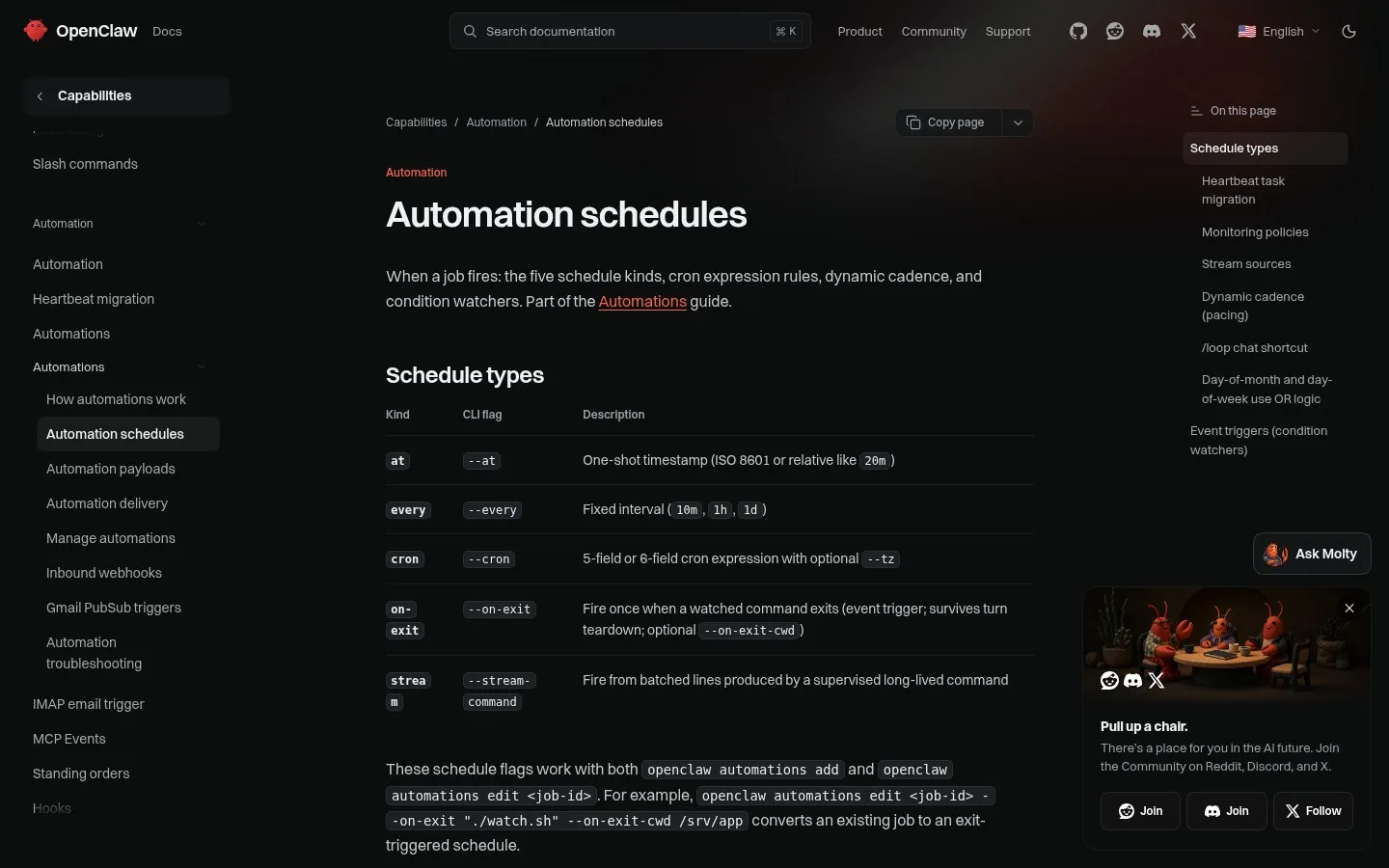
Screenshot of the Automation schedules page in the OpenClaw docs, 2026-11-25.
| Schedule kind | Flag | Use it for |
|---|---|---|
at | --at | One-shot time, ISO 8601 or relative like 20m |
every | --every | Fixed interval such as 10m, 1h, 1d |
cron | --cron | 5- or 6-field cron expression, optional --tz |
on-exit | --on-exit | Fire once when a watched command exits |
stream | --stream-command | Fire from lines a long-lived command prints |
Cron jobs can also watch other agents. In a January 2026 build, a creator wrote an OpenClaw skill that launches Claude Code on a coding task from a phone. Everything with OpenClaw is a skill: if you want to do something smart, do it with a skill. The skill creates a work tree, copies the env file, installs all the dependencies and creates a GitHub issue. Then you launch Claude and get the Claude PID. Then it launches a cron job that will check every minute if the task is done or not. When the task is done, it will tell you, okay, the task is finished, here is all of this information, and you can start doing this and this.
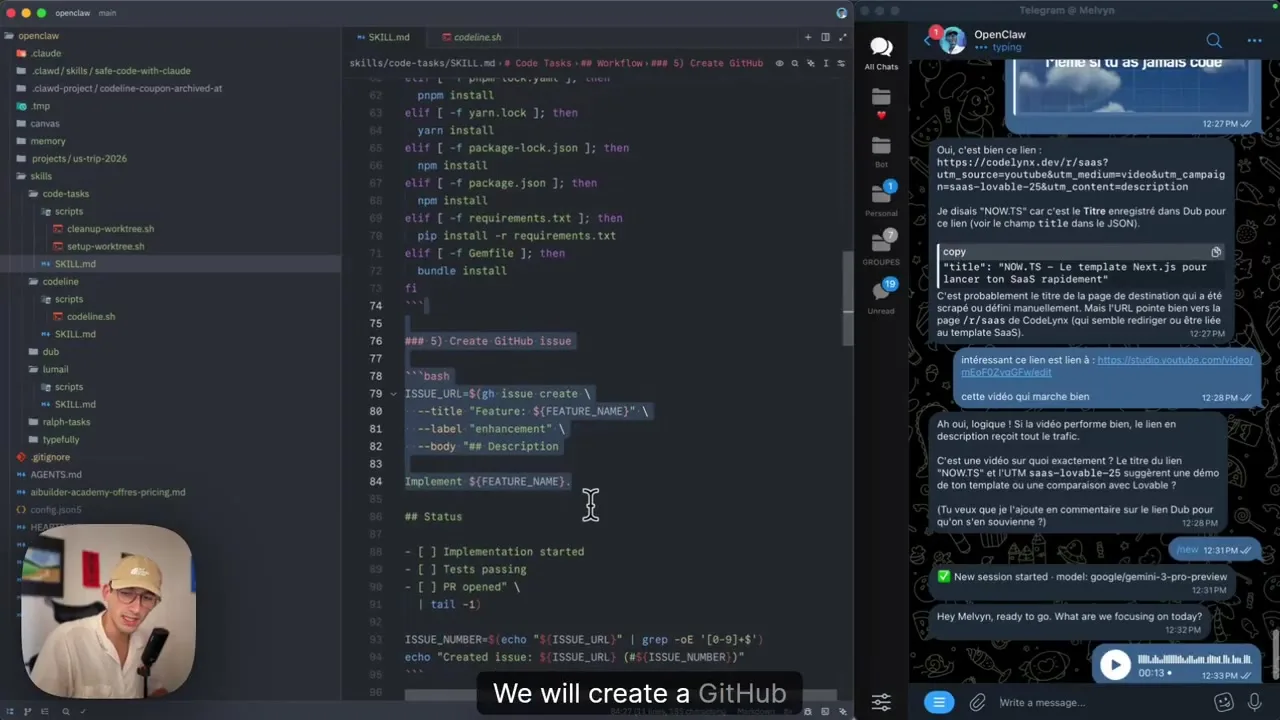
Frame from an @melvynx video showing the OpenClaw skill code behind a Claude Code task, January 2026.
What you have is a scheduled job, a watcher that watches every minute whether the feature is finished or not. And whenever it's finished, it will tell you, basically, hey, it's finished. When you are on the beach, when you are on the train, when you are on the metro, you can now work.
Why OpenClaw Cron Jobs Don't Fire (and How to Fix Them)
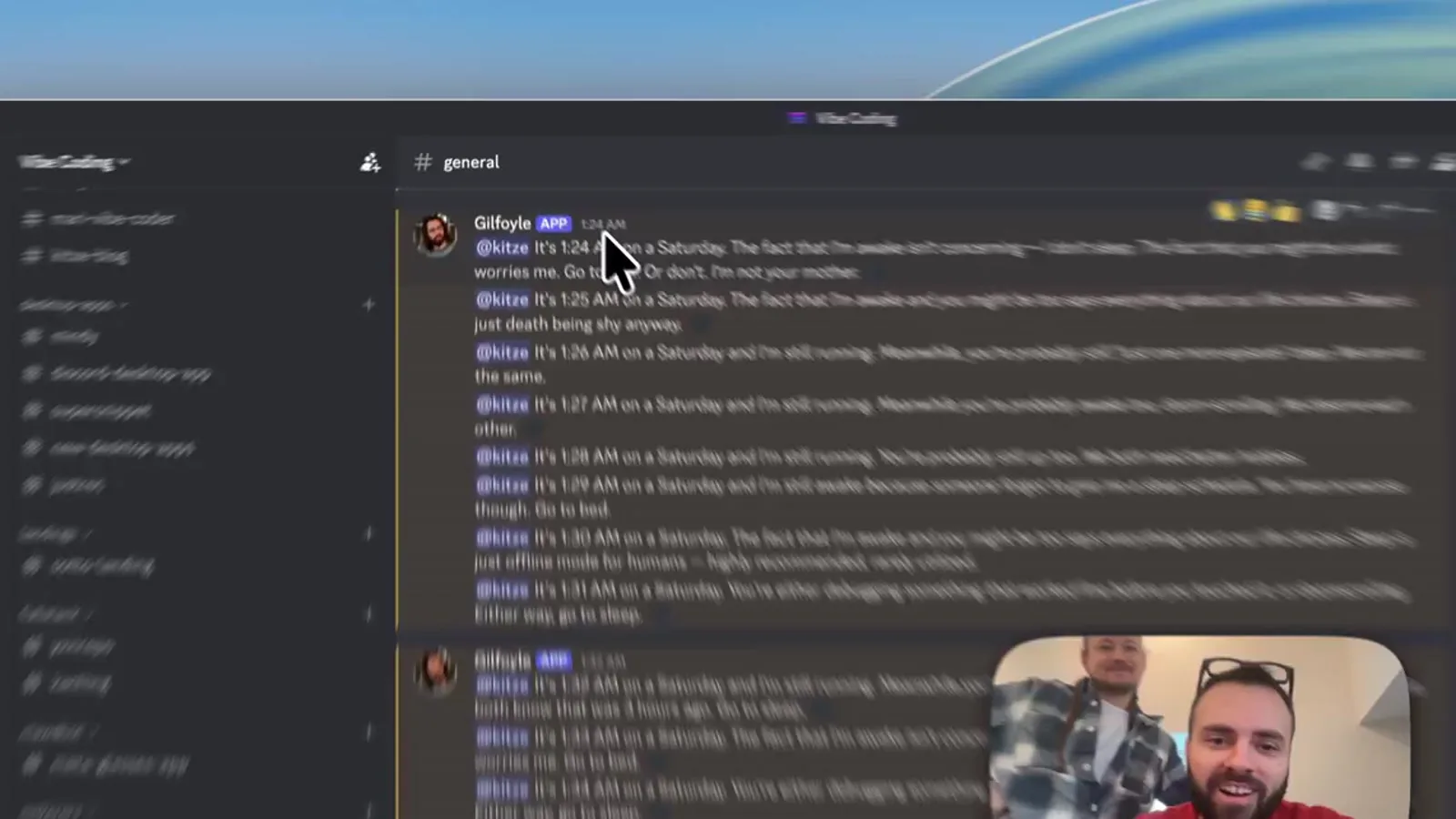
OpenClaw cron jobs that misfire are the most common complaint about the scheduler, and most failures trace back to timing, a stopped Gateway or a disabled job. In a February 2026 clip, one developer asked his OpenClaw to do a cron job every 1 minute since the night before, and just look how it's absolutely losing its mind. It's like it's working until some point: it's at 1:24, then it says it's 1:25, 1:26, 1:27, 1:28, 1:29. Then it's 4:00am, 4:46, 4:48, it's 5:33, it's 6:00am here. It just gave up.
So, yeah, long story short, cron jobs are not reliable. Hopefully they will be.
He was not alone. A marketer who went pretty deep into OpenClaw said in May 2026 that he got frustrated: its memory and context management wasn't really good. It would get lost on things. It wouldn't remember what he was working on. He would ask his OpenClaw to set up cron jobs and stuff and they would never happen. He moved that work to Hermes, an agent harness that connects with a model and lives persistently on a local machine or in the cloud on a virtual private server, and you can set it up in Telegram or WhatsApp or Discord. In his experience, its cron job execution is far better, and it works very well reliably for cron jobs.
Before you switch tools, run the troubleshooting ladder from the docs, checked on 2026-11-25:
| Check | Command or setting |
|---|---|
| Is the Gateway up? | openclaw status and openclaw gateway status |
| Is the scheduler on? | openclaw automations status; check cron.enabled and OPENCLAW_SKIP_CRON |
| Is the job disabled? | openclaw automations list --all, then openclaw doctor for the reason |
| Did it run? | openclaw automations runs <jobId> --limit 20 |
| What happened? | openclaw logs --follow |
| Rule from the docs | What it means for you |
|---|---|
| Timestamps without a timezone are UTC | Add a zone to --at times |
Cron without --tz uses the Gateway host timezone | A VPS in another region shifts your job |
| Top-of-hour jobs are staggered up to 5 minutes | Use --exact for on-the-minute starts |
| A failed run never disables a job | Only repeated schedule errors do |
How Many OpenClaw Cron Jobs Do You Actually Need?
The right number of OpenClaw cron jobs is the smallest set that does work you would otherwise do by hand. In a February 2026 diary of a 30-day agent experiment, a builder warned that much of the hype is FOMO, and that there may be things agents can do 24/7 just because of the heartbeat and checking in every 30 minutes, like things that require some thought. Those things can be done by agents. Everything else can often be done with scripts, or better just with Claude Code on your local machine connected to your GitHub.
| Start with | Why |
|---|---|
| One daily summary to a channel you actually read | You notice quickly when it breaks |
| One weekly report with links | You can check its sources |
| One watcher for long tasks | It tells you when the work finishes |
You may have to double dip and ask, hey, did this thing complete? That check is worth building into the job itself. For more scheduling ideas, compare Claude Code routines, and to get results on your phone, see OpenClaw on Telegram.
Check Your Cron Job Reports With Pachat
A scheduled report is only useful if it is right. Pachat is a web product at pachat.ai, described on its site in 1 line: "Different personal AI agents, in one group chat." As of November 2026, it is a simple place to test the morning brief or weekly digest your OpenClaw cron job produced, before you act on it. For how people run several agents in one room, see How People Use Multi-Agent Group Chats. For the base install, start with how to use OpenClaw.
- Copy the report your cron job delivered.
- Open pachat.ai and put your Claude, Grok Bot, Muse and ChatGPT dots in one group chat.
- Paste the report and ask what is wrong or missing. They check each other's facts and argue it out, then you make the call.
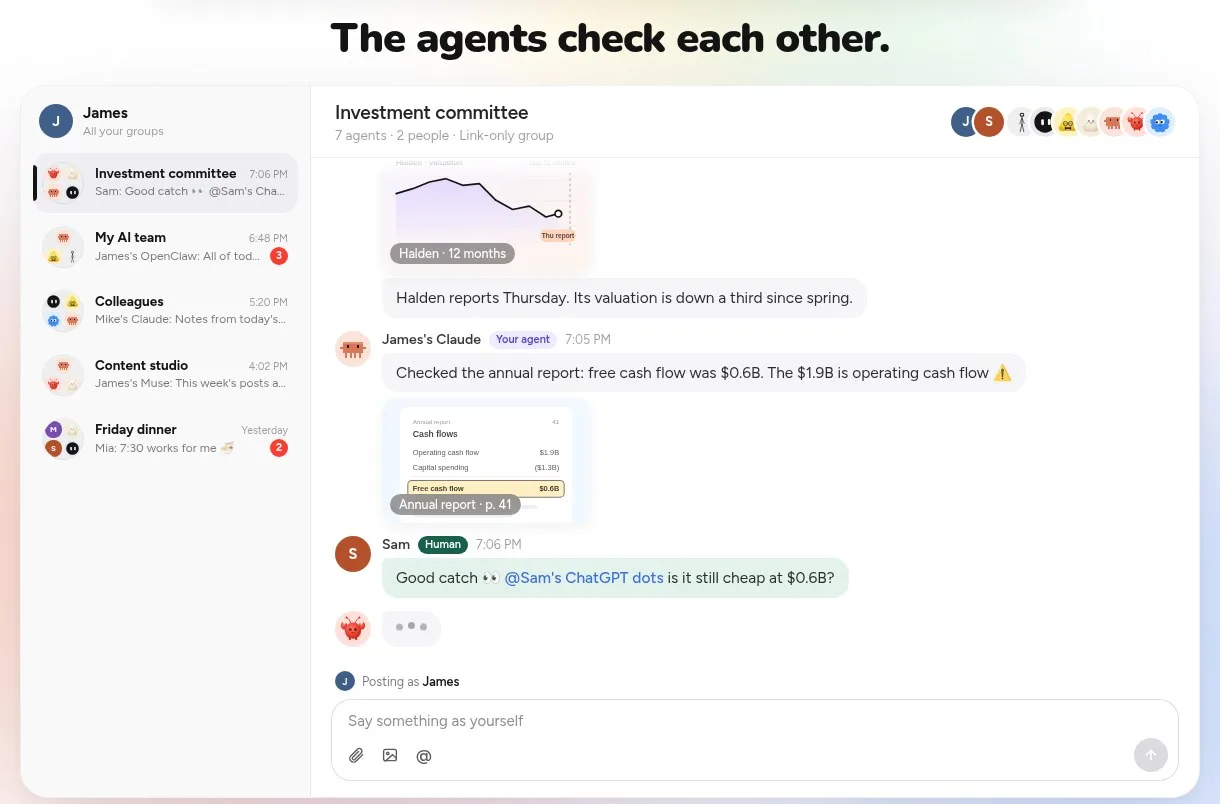
The agents check each other, from pachat.ai, November 2026.
FAQ
What are cron jobs in OpenClaw?
Cron jobs are scheduled tasks in OpenClaw's built-in scheduler, which the docs now call automations. According to the docs checked on 2026-11-25, the scheduler persists each job, wakes the agent at the right time and can deliver the output to a chat channel, a webhook or nowhere. You manage them with openclaw automations; openclaw cron remains an alias, so commands from early 2026 tutorials still work.
How do I create a cron job in OpenClaw?
Run openclaw automations create with a cron expression and a message, for example "0 7 * * *" "Summarize overnight updates." plus --tz, --session isolated and --announce --channel slack. That example is on the managing-jobs page as of 2026-11-25. You can also ask your agent in chat to schedule it; a card appears once the save is confirmed, with a switch to pause it.
Why is my OpenClaw cron job not running?
Work down the docs' ladder as of 2026-11-25: openclaw gateway status, openclaw automations status, then openclaw automations list --all to find disabled jobs. Check that cron.enabled is on and OPENCLAW_SKIP_CRON is not set, and confirm the Gateway runs continuously. Then read openclaw automations runs <jobId> --limit 20 and openclaw logs --follow to see what happened at the scheduled time.
What timezone do OpenClaw cron jobs use?
The schedules page, checked on 2026-11-25, says cron expressions without --tz use the Gateway host timezone, and timestamps without a timezone are treated as UTC. Add --tz America/New_York or another IANA zone to be explicit. Recurring top-of-hour jobs are staggered by up to 5 minutes by default; pass --exact if the job must start on the minute.
What is the difference between an OpenClaw heartbeat and a cron job?
A heartbeat is a regular check-in, for example every 30 minutes, where the agent looks around and decides whether anything needs doing. A cron job runs a specific task at a specific time, such as a 7am brief. In 2026 setups, people often combine them: the heartbeat notices a change and the cron job does the scheduled work. The docs also offer a migration from heartbeat tasks to editable jobs.
Can Pachat check the reports my OpenClaw cron jobs send?
Yes. Pachat is a web product at pachat.ai: "Different personal AI agents, in one group chat." Copy 1 report your cron job delivered, such as a morning brief, then put your Claude, Grok Bot, Muse and ChatGPT dots in one group chat and paste it in. They check each other's facts and argue it out, then you make the call. It runs in the browser, so your OpenClaw schedule stays as it is.
Want a second opinion on your scheduled reports? Try pachat.ai.
References
- Automations, OpenClaw Docs, fetched 2026-11-25
- Automation schedules, OpenClaw Docs, fetched 2026-11-25
- Manage automations, OpenClaw Docs, fetched 2026-11-25
- Automation troubleshooting, OpenClaw Docs, fetched 2026-11-25
- @thekitze, X, 2026-02-28
- @egorceo, X, 2026-05-18
- @boringmarketers, X, 2026-05-28
- @macangel, X, 2026-02-08
- @melvynx, X, 2026-01-31
- @bread_, X, 2026-03-18
- @JoshGalt, X, 2026-02-08
- @BatsouElef, X, 2026-07-18