 Pachat.ai

OpenClaw Telegram: How to Set Up Your Bot and Keep It Safe
Updated 2026-11
TL;DR: OpenClaw Telegram means talking to your own OpenClaw agent through a Telegram bot. You create the bot with BotFather, give OpenClaw the token, and approve a pairing code so only you can control it. Run it on a separate machine or hosted instance, and give it only the accounts it really needs.
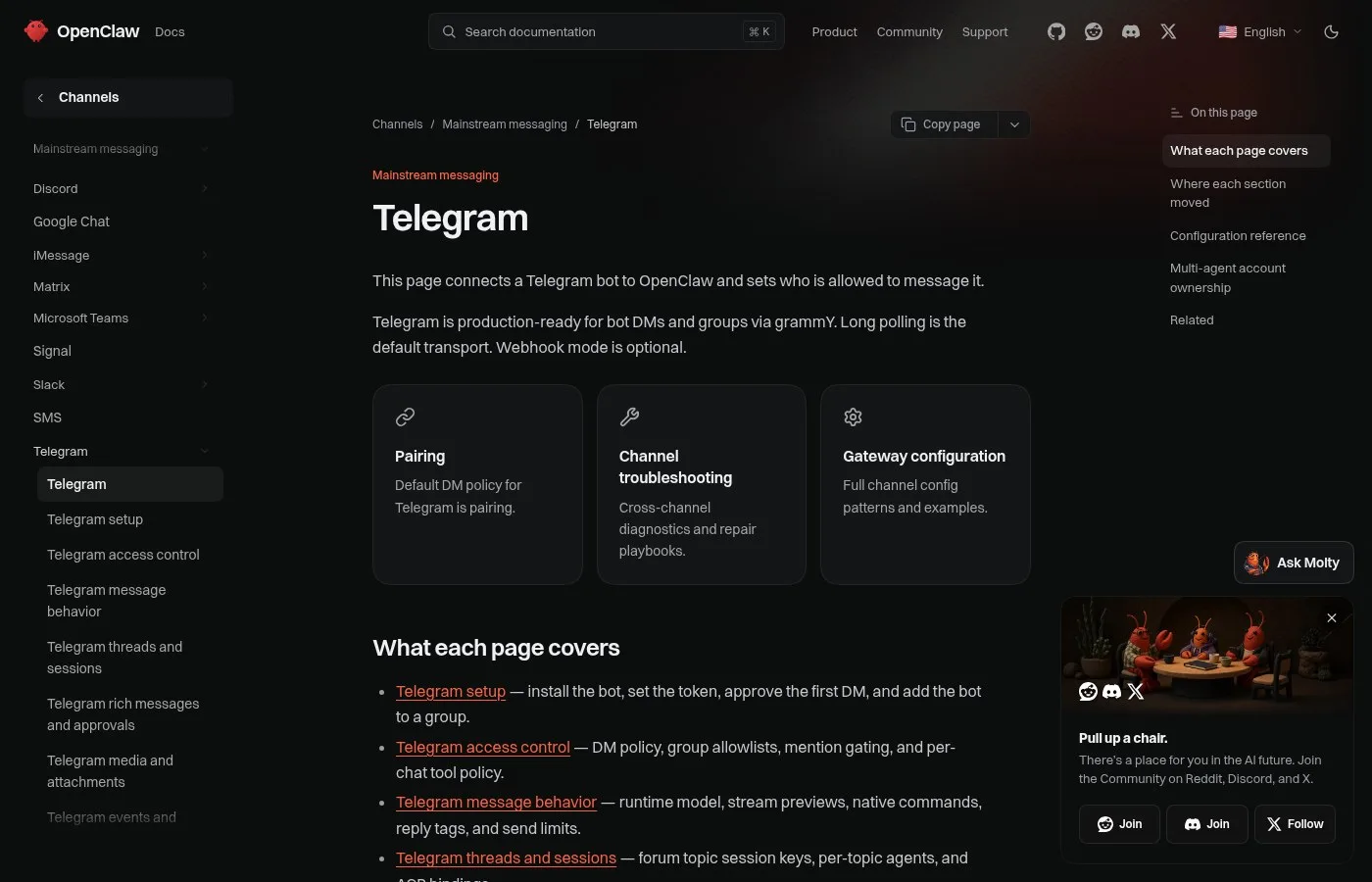
Screenshot of the Telegram channel page in the official OpenClaw docs.
What Is OpenClaw on Telegram?
OpenClaw on Telegram is a setup where your OpenClaw agent runs on a computer or server and you chat with it through a Telegram bot. As of November 2026, the official docs call Telegram production-ready for bot DMs and groups. It is 1 of several chat apps OpenClaw supports, next to WhatsApp, Slack and Discord, and one of the most common first choices.
Think of an open source assistant and manager you run on your own hardware.
You message it in Telegram, WhatsApp, Slack, even iMessage. And it can automate real actions: daily briefings, reminders, calendar stuff, browser tasks and terminal commands.
This isn't another chat. It's an agent that stays on 24/7 and actually gets things done while you sleep.
How to use it? Super short. Install it, connect your chat app, add skills, schedule tasks and let it work.
How to Connect OpenClaw to Telegram
Connecting OpenClaw to Telegram is a 3 step job: create a bot with BotFather, give its token to OpenClaw, then approve a pairing code. As of November 2026, the docs say the default DM policy for Telegram is pairing, so a stranger who finds your bot cannot use it until you approve them. The whole setup takes a few minutes.
Open Telegram and search for BotFather, type /newbot.
Choose a name, then choose a username that ends with _bot. BotFather will generate an HTTP API token. Copy that token.
That's what links your Telegram bot to your agent. Paste the token and click connect.
Now open your new bot on Telegram and type /start. You'll see a pairing code. This makes sure only you can control the bot.
Copy that pairing code and approve it. And that's it. Your Telegram bot is now connected and your OpenClaw agent is live.
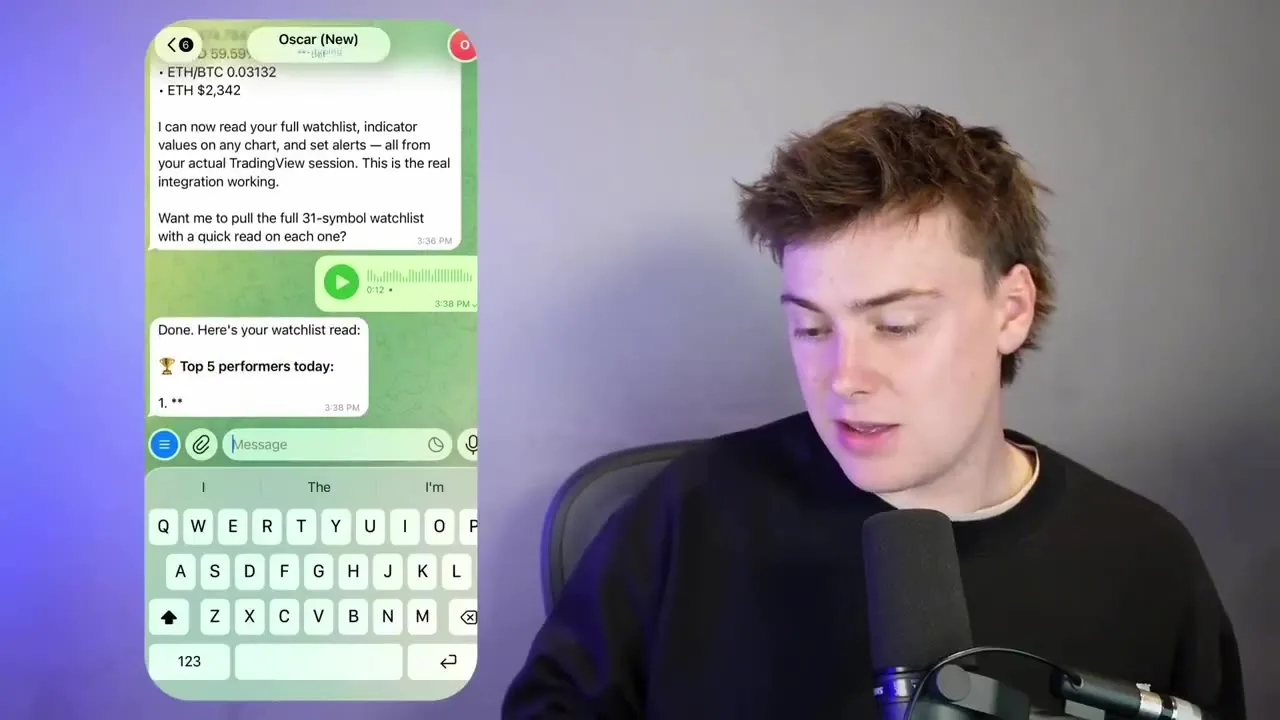
A frame from a creator demo of an OpenClaw agent that answers on Telegram.
What People Do With OpenClaw on Telegram
A Telegram agent is most useful for work you want to check or start while away from your desk. In an October 2026 demo, a trader showed an always-on Mac mini running OpenClaw as a market research assistant that he prompts by voice from Telegram. Others use it for email triage, reminders, home automation and daily summaries sent at a set time.
So you can send a voice prompt to Oscar, the agent, on Telegram.
"Could you please let me know what the top 5 performers on my main watch list are today and if there are any active moves that I need to make based on my alerts?"
You can see Oscar is now sending you a review of your watch list. He's giving you some macro context, what's happening in the market, what setups you need to watch.
Everything shown before, you can do remotely from your phone on Telegram.
So you can have different models running, different agents scanning the market, and you can prompt it all from Telegram.
Keep Your OpenClaw Telegram Bot Safe
Keeping an OpenClaw Telegram bot safe means treating it as a privileged system, not a toy. Since early 2026, builders who run it daily have warned that once an agent can touch your tools, a chat message can trigger real actions. Use pairing, a separate machine, approval gates and logs from day 1, before you connect email, files or money.
The moment an agent can touch your tools, you're not playing with AI. You're operating a privileged system.
Now the part most people ignore. Number 1, prompt injection: emails, web pages, documents, hostile inputs. Number 2, over privileged credentials. A single token can become total compromise.
Number 3, no approval gates for irreversible actions like send, delete, transfer. One mistake is all it takes. Number 4, running it on your daily machine. Number 5, no logs.
Policy controls so it can draft but cannot send without explicit approval.
Just make sure you're very careful about the information you show to these bots because they have agency. If you give them passwords, they can log in and they can do things on your behalf.
Where to Run Your Telegram Agent
Where you run OpenClaw decides how safe and how always-on it is. In 2026 people use 3 main options: a dedicated Mac mini at home, a VPS, or a hosted OpenClaw service. The docs default to long polling for Telegram, so the bot doesn't need a public webhook, but a badly secured server can still leak your data and accounts.
Not on your machine, and buying a VPS and securing it is so hard.
On a VPS, if you don't set it up correctly, all the ports would be open and everyone will be able to access your machine. And if you've set it up with your Telegram or WhatsApp, then basically all your data will go away.
People are literally buying dedicated Mac minis just to run their own personal Jarvis safely separate from their main laptop.
You don't need to buy a new computer just for this, especially unless you know everything you need to do to keep it secure and away from your information.
Check Your Agent's Answers With Pachat
Pachat is a web product at pachat.ai, described on the site as "Different personal AI agents, in one group chat." Your OpenClaw bot is one agent; Pachat is where you can get a second and third opinion before you act on what it tells you.
- Copy an answer or plan your Telegram agent sent you, such as a daily summary.
- Open pachat.ai and put your Claude, Grok Bot, Muse and ChatGPT dots in one group chat.
- Ask them to check it. They check each other's facts and argue it out, then you make the call.
For more, read how to use OpenClaw, OpenClaw alternatives and Claude Code remote control.
FAQ
How do I connect OpenClaw to Telegram?
Open Telegram, message BotFather, send /newbot, pick a name and a username ending in _bot, and copy the token. Add that token to OpenClaw's Telegram channel, then send /start to your new bot and approve the pairing code it shows. As of November 2026, the official docs list this as the standard setup.
What is the pairing code for?
Pairing makes sure only you can control the bot. As of November 2026, OpenClaw's default DM policy for Telegram is pairing, which means a new person who messages the bot gets a code and is ignored until you approve it. Groups default to an allowlist, so the bot only answers in groups you have allowed.
Can I use OpenClaw in Telegram groups?
Yes. The 2026 docs describe Telegram as production-ready for bot DMs and groups, with group allowlists, mention rules, per-chat tool policies and forum topics that can map to different agents. Start with DMs only, then add 1 trusted group once you are comfortable with how the agent behaves and replies.
Do I need a Mac mini to run OpenClaw?
No. A Mac mini is popular because it is small, quiet and can stay on all day, but any always-on machine works, including an old laptop, a VPS or a hosted OpenClaw service. In 2026 the safest choice is a machine separate from your daily computer, with only the accounts and folders the agent needs.
Is it safe to give OpenClaw access through Telegram?
It can be, with care. Builders warned in 2026 about prompt injection from emails and web pages, over-privileged tokens and missing approval steps. Keep pairing on, run the agent away from your main machine, require approval for send, delete and transfer actions, and keep logs so you can see what it did.
Can Pachat check what my OpenClaw agent tells me?
Yes. Pachat is a web product at pachat.ai where you put your Claude, Grok Bot, Muse and ChatGPT dots in one group chat. Paste 1 summary or plan from your Telegram agent and ask them to look for mistakes. They check each other's facts and argue it out, then you make the call.
Ready to put different AIs in one group chat? Start at pachat.ai.
References
- OpenClaw Docs, "Telegram," fetched 2026-11-18: https://docs.openclaw.ai/channels/telegram
- @svpino, 2026-01-31: https://x.com/svpino/status/2017695040529961145
- @thehamedmp, 2026-01-31: https://x.com/thehamedmp/status/2017655779843547423
- @AndyHollidayAI, 2026-02-03: https://x.com/AndyHollidayAI/status/2018606161281548629
- @snowball_money, 2026-03-10: https://x.com/snowball_money/status/2031412389682569397
- @AIMind_Ai, 2026-07-14: https://x.com/AIMind_Ai/status/2076964658167037975
- @yonann, 2026-10-12: https://x.com/yonann/status/2109762154274623990