 Pachat.ai
OpenClaw Heartbeat: What It Is, How It Works Now, and How to Set It Up
Updated 2026-11
TL;DR: The OpenClaw heartbeat is a scheduled pulse check: your agent wakes up on a timer, checks on stuff, and messages you only when something matters. Since 2026 it runs as an ordinary Automations job, so you upgrade with openclaw doctor --fix and then edit the "Proactive check" job like any other. Keep the checklist short, set active hours, and have the agent reply NO_REPLY when nothing changed.
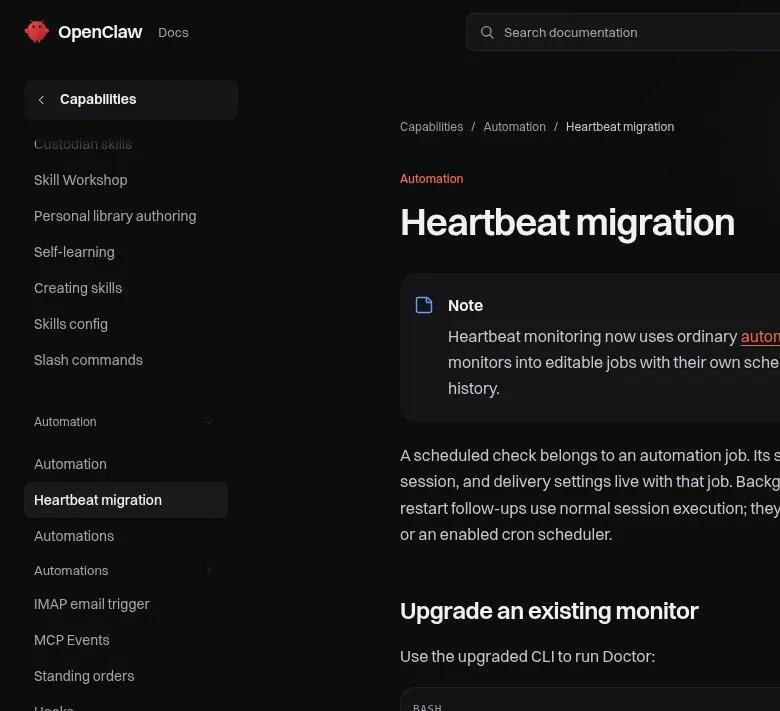
Screenshot of the Heartbeat migration page in the official OpenClaw docs, November 2026.
What Is the OpenClaw Heartbeat?
The OpenClaw heartbeat is a pulse check. Your agent wakes up every so often on a schedule, it checks on stuff, and then it sends you a message if something matters, like an alert or a reminder or a status update. As of November 2026, the official docs say heartbeat monitoring now uses ordinary automation jobs, and the first setup creates 1 Proactive check job that runs every 30 minutes by default.
To see why that matters, think of it like this. Every single day you do a bunch of boring stuff. You send messages, you check Slack, you reply to emails, you follow up on things.
Now, what if you had a little robot that just did all of that for you automatically, without you even thinking about it? That's OpenClaw. It's a self hosted AI agent that connects to Slack, Discord, WhatsApp, email, your local tools, APIs, all of it.
It reads files, it sends messages, it automates the repetitive stuff you hate doing, and it runs 24/7 without you lifting a finger. The heartbeat is the part that makes it act without being asked.
You set it up once, you forget about it, and it just pings you when something matters. That is the whole promise in one line.
Why a Heartbeat Matters: Agents Forget Between Prompts
A heartbeat is the fix for an agent that only works when you type. Standard large language models are stateless: they wake up entirely blank between every prompt, losing their situational context and operational history. A heartbeat check-in system creates a recurring loop that forces the agent to read a structured checklist of its persona and goals before it executes any task. In 2026 this loop became the standard way to keep 1 agent on track for days.
The same problem shows up in every chat app. You know how you're on ChatGPT, you're on Gemini, you're on Claude, and you're talking to it, and it only remembers you for just that session, just that day.
If you go to another chat, it has no idea what's going on. It may call you by your name, it may know a little bit, but you always have to give it context.
There is a second reason. In modern business, every time a process stops to wait for a human to click an approve button, that system experiences a measurable leakage.
Human latency is the single greatest bottleneck to efficiency.
A scheduled check removes some of that waiting. But it also means errors compound. In a 10 step process, even if an AI is 95% accurate, cumulative success drops to 59%.
So a good heartbeat does not just run tasks. It audits intermediate checkpoints and reports what needs a human, instead of quietly pushing a mistake forward.
How the OpenClaw Heartbeat Changed in 2026
The OpenClaw heartbeat is no longer a separate system; it is an Automations job. In older versions, they turned off the ability for heartbeats to send you direct messages. They did that to stop messages going to the wrong place. But the problem was it killed a really useful feature. The 2026.2.25 update brought it back, and heartbeat DM delivery returned for anyone running background monitoring.
A lot of people relied on those heartbeat DMs. So if you had alerts that stopped working a few updates ago, they were alive again after that release.
Even the early system of heartbeats was too static and not proactive enough. It was especially bad if you had a large session and then, one hour later, a heartbeat would check up on everything at once.
The current design answers that. The official docs say Doctor converts each existing monitor into an ordinary editable job, with its own schedule, prompt, scratch, model, session and delivery settings.
Doctor also imports supported HEARTBEAT.md content and archives the old file under backups/heartbeat-migration/. It supports the heartbeat shapes shipped from July 2026 onward.
One migration note is worth reading twice: "Heartbeat-specific duplicate suppression and no-route skipping were removed." Repeated updates can now be delivered, so review delivery settings if you relied on that.
How to Set Up an OpenClaw Heartbeat Job
Setting up an OpenClaw heartbeat in November 2026 means editing 1 ordinary automation job, not a special config block. You upgrade, list your jobs, then change the schedule, the checklist and the delivery target. The first setup gives you a Proactive check that uses the agent's main conversation, waits for idle, and delivers to your owner DM. It skips an explicitly empty scratch checklist, but missing scratch still runs.
| Step | Command |
|---|---|
| Upgrade and convert old monitors | openclaw doctor --fix |
| See every job, including disabled ones | openclaw automations list --all |
| Inspect the heartbeat job | openclaw automations show <job-id> |
| Change what it checks | openclaw automations edit <job-id> --message "..." |
| Set the checklist (scratch) | openclaw automations scratch <job-id> --set "..." |
| Pause or delete it | openclaw automations disable <job-id> / remove <job-id> |
| Trigger a check right now | openclaw system event --text "..." --mode now |
| Policy | What it does |
|---|---|
activeHours | Runs checks only inside a timezone-aware window |
idleOnly | Gives your foreground work priority |
delivery.target: "owner" | Sends results to your own DM, not the last group |
payload.skipIfScratchEmpty | Skips the run when the checklist is explicitly empty |
A few rules keep the heartbeat useful:
- Tell it to report only changes that need attention; otherwise reply NO_REPLY.
- Keep scratch short and task-specific, and never put secrets in it.
- Scratch is not a scheduler. Put each recurring task in its own job.
What should the checklist cover? A very good morning brief looks like this: the weather, yesterday's progress, the top list to contact today, posts ready to publish, and suggested actions.
What People Actually Do With a Proactive OpenClaw Agent
A proactive agent is one that keeps working when you stop typing, and in 2026 that is what made people stick with OpenClaw. On day 3 of setting it up, some things start to click, and you finally see why people are so obsessed with this. One day of work automated lead generation: it found 17 local leads that you can write a message to tomorrow, and it already drafted the message you can send.
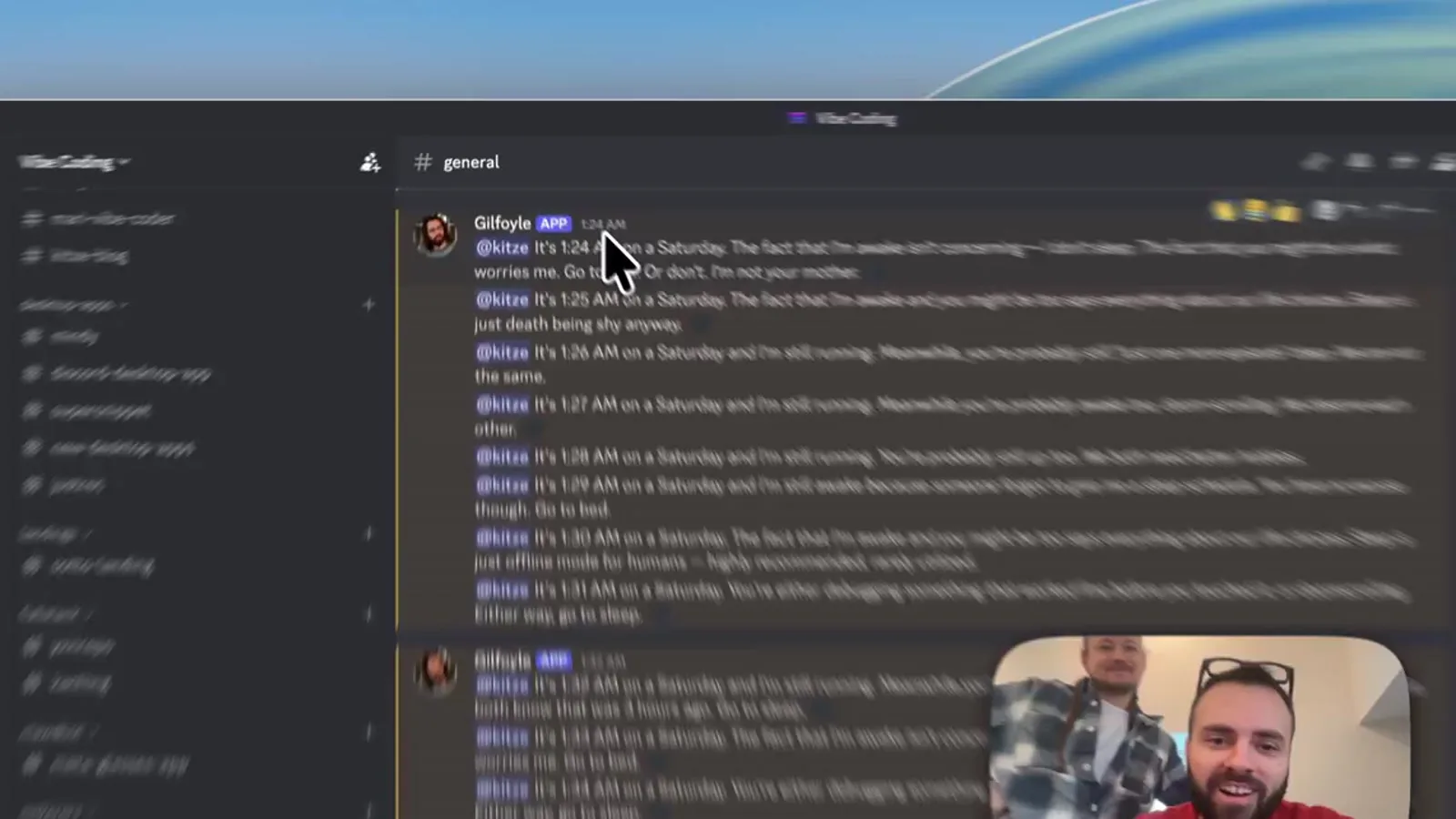
Frame from an @martinmuzatko video showing an OpenClaw daily progress summary, March 2026.
It also told the user that X is the wrong place to do marketing, which is right, because it's tech Twitter. It's people nerding out on technology.
Others go bigger. An operating system can be powered entirely by an AI agent built to organize your entire life and business all in one place. It runs locally on a Mac mini device.
You talk to the agent through Slack, and it will automatically make the adjustments needed on the dashboard. People use it for everything from managing business tasks to content to even life goals.
You also don't need new hardware to start. OpenClaw can be installed and running on a late 2009 iMac. So that's a 16 year old computer. Some things that are sort of standard OpenClaw don't work because the macOS is too old.
When you first install OpenClaw, there's actually what is called a bootstrapping process. It's got a document in its identity documents called bootstrap. And it's a first time run process. And once it does it, it deletes the document.
It's just some first time questions: "Who am I? Who are you? What are we doing here?" Some of the language feels existential, but the reality is plainer.
It doesn't have memories. It has files with that in it somewhere. It doesn't have a soul. It has instructions.
That is exactly what your heartbeat reads every time it wakes up.
Do You Still Need a Heartbeat in Late 2026?
A heartbeat is still the most direct way to make your own agent proactive, even as chat apps add similar features. There was a huge craze for OpenClaw at the beginning of 2026, and then it kind of went away. In October 2026, ChatGPT released something called dots, where essentially it's a proactive agent that's on the cloud that uses all the different connections you have to remind you of things you need to get done.
The difference is mostly the interface. Dots is one of the best innovations that you'll see in UI/UX, not actual capabilities. Now there is a more mainstream solution that guides people to do these remote automated solutions, which is pretty much what OpenClaw was offering and promising at the beginning of this year. But you had to build everything out.
Remember: anytime ChatGPT or Claude releases a new feature where you're able to do something in a more autonomous manner, that's probably because you didn't have the know how of how to schedule the different things required. Use APIs, MCPs, etc.
There is one safety rule either way. OpenClaw holds onto your login info and your sessions so it can keep working even when you're asleep. That also means you gotta be smart about how you set it up.
In February 2026, Microsoft said OpenClaw should not run on a standard personal or enterprise workstation, and advised a dedicated virtual machine or a separate system. Use it smart, set it up safe, and you'll be fine.
For the full install, see how to use OpenClaw. To get your heartbeat alerts on your phone, see OpenClaw on Telegram, and for scheduled work in other tools, read Claude Code routines.
Check Your Heartbeat Alerts With Pachat
Pachat is a web product at pachat.ai, described on the site as "Different personal AI agents, in one group chat." A heartbeat tells you something changed; Pachat is a place to get a second opinion before you act on it.
- Copy an alert or morning brief your heartbeat job sent you.
- Open pachat.ai and put your Claude, Grok Bot, Muse and ChatGPT dots in one group chat.
- Paste the alert and ask what to do next. They check each other's facts and argue it out, then you make the call.
The pachat.ai homepage, November 2026.
More reading: how to automate tasks with AI and OpenClaw alternatives.
FAQ
What is the OpenClaw heartbeat?
It is a scheduled check where your OpenClaw agent wakes up, looks at a short checklist, and messages you only when something needs attention. As of November 2026 it is an ordinary Automations job called Proactive check, running every 30 minutes by default, and you can edit its schedule, prompt, model and delivery like any other job.
How often does the OpenClaw heartbeat run?
The default Proactive check runs every 30 minutes unless your provider sets a different starting cadence. You can change that schedule with openclaw automations edit, and add activeHours so it only runs inside a time window, for example 8:00 to 22:00 in your own timezone, which keeps it quiet at night.
What happened to HEARTBEAT.md?
Running openclaw doctor --fix imports supported HEARTBEAT.md content into the job's scratch and archives the original under backups/heartbeat-migration/. Doctor supports the heartbeat shapes shipped from July 2026 onward. After migration, the runtime no longer reads HEARTBEAT.md, so edit the job's scratch instead of the old file. If Doctor cannot convert an input faithfully, it keeps it and reports the problem.
How do I stop the heartbeat from sending empty updates?
Tell the job to report only changes that need attention and otherwise reply NO_REPLY. A check that returns NO_REPLY sends nothing. You can also set payload.skipIfScratchEmpty so a run with an explicitly empty checklist is skipped. Since the 2026 migration removed duplicate suppression, review delivery settings once so repeated updates do not reach you twice.
Is it safe to leave an agent running a heartbeat all day?
It can be, with care. In February 2026 Microsoft advised against running OpenClaw on a standard personal or enterprise workstation and recommended a dedicated virtual machine or separate system. Keep secrets out of scratch, give the agent only the accounts it needs, and send results to your own DM with delivery.target: "owner".
Can Pachat review what my OpenClaw heartbeat reports?
Yes. Pachat is a web product at pachat.ai where you put your Claude, Grok Bot, Muse and ChatGPT dots in one group chat. Paste 1 alert or morning brief from your heartbeat job and ask what to do next. They check each other's facts and argue it out, then you make the call.
Ready to put different AIs in one group chat? Start at pachat.ai.
References
- OpenClaw Docs, "Heartbeat migration," fetched 2026-11-20: https://docs.openclaw.ai/gateway/heartbeat
- Microsoft Security Blog, "Running OpenClaw safely: identity, isolation, and runtime risk," 2026-02-19: https://www.microsoft.com/en-us/security/blog/2026/02/19/running-openclaw-safely-identity-isolation-runtime-risk/
- @Overlap_Tech, 2026-08-12: https://x.com/Overlap_Tech/status/2087666358666367471
- @aiplaybookgen, 2026-03-01: https://x.com/aiplaybookgen/status/2028067246199975984
- @denarii_dfi, 2026-05-30: https://x.com/denarii_dfi/status/2060587887435903368
- @martinmuzatko, 2026-03-13: https://x.com/martinmuzatko/status/2032279650613772590
- @demetripanici, 2026-10-05: https://x.com/demetripanici/status/2107146411028468166
- @Jacobsklug, 2026-02-10: https://x.com/Jacobsklug/status/2021214458065121707
- @skidmorep, 2026-02-07: https://x.com/skidmorep/status/2020227962616824286
- @richardbechols, 2026-02-06: https://x.com/richardbechols/status/2019645191523594319