 Pachat.ai

How to Automate Tasks With AI: A Practical Guide
Updated 2026-11
TL;DR: To automate tasks with AI, start with one small repetitive job, then either show an AI agent how you do it, explain it in plain words, or put it on a schedule. In 2026 tools like Codex skills and Notion Custom Agents can learn a workflow once and repeat it. Keep a human check on anything important before it goes out.
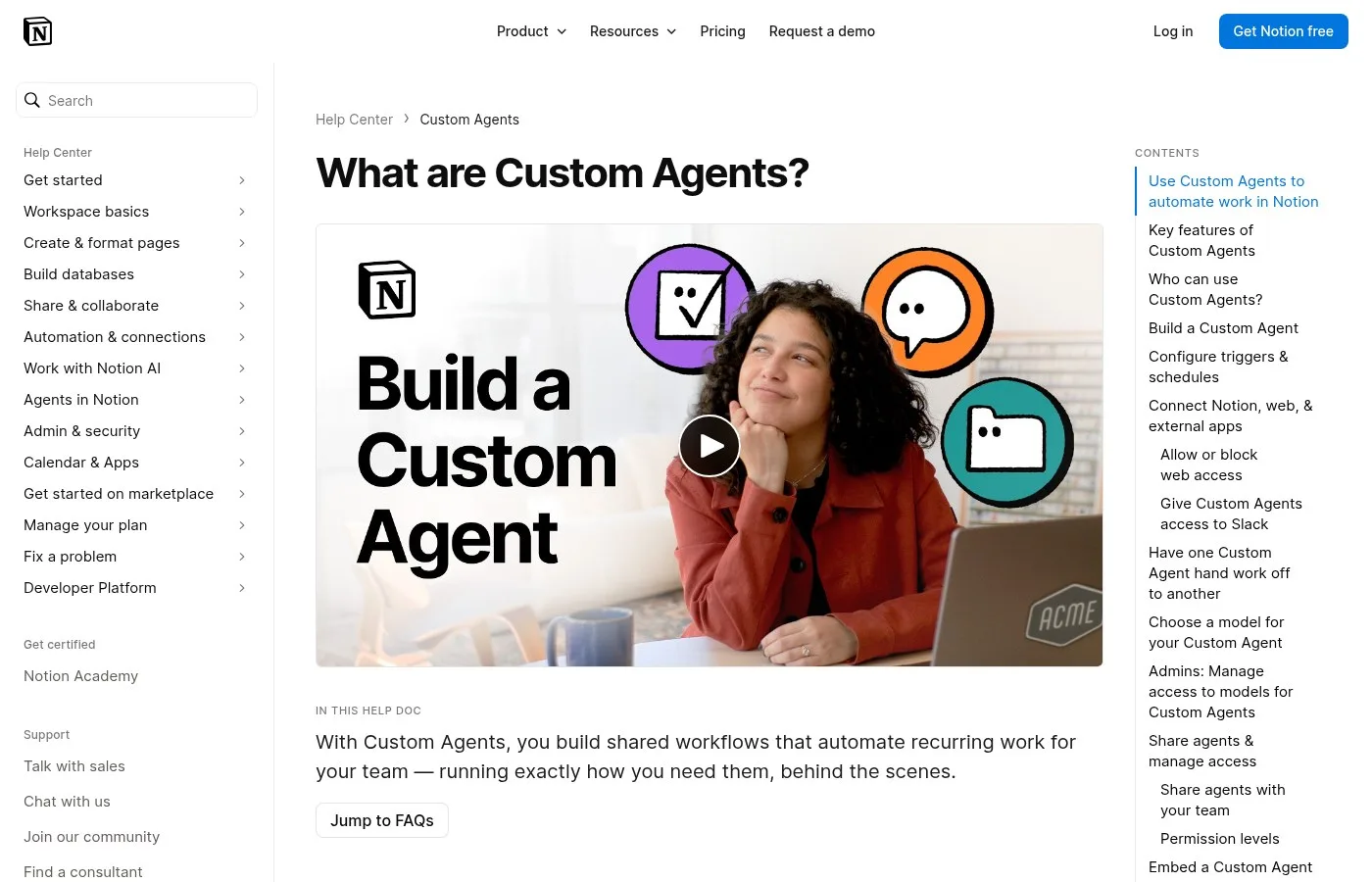
Screenshot of the Notion help page on Custom Agents.
What Does It Mean to Automate Tasks With AI?
Automating tasks with AI is the practice of handing a repeated job to software that can read, decide and act, instead of clicking through it yourself every time. In 2026 that software is usually an AI agent connected to your apps. The big change since 2024 is that you rarely need code, because you can show or tell the agent what to do.
Ever feel stuck doing repetitive tasks, wishing you had more time for what truly matters? Imagine a world where your computer handles the drudgery automatically.
Automation tools aren't just for tech gurus. They're your superpower to reclaim hours each week.
A common mistake is thinking automation requires complex coding. Not true. Many powerful tools today are visual, drag and drop interfaces. You don't need to be a programmer. You just need a desire to simplify your workflow.
At its core, automation is about teaching your computer simple rules to perform routine actions for you. Think of it as building a tiny, tireless digital assistant that executes tasks exactly as you define them, 24/7.
Step 1: Pick One Repetitive Task
The first step is choosing a single task that repeats often and follows the same pattern each time. A good first target in 2026 is something you do every day or every week, takes 10 to 30 minutes, and never needs real judgment. Moving files, weekly reports and routine emails are classic examples. Pick the one that annoys you most.
For your quick win, identify one small repetitive digital task you do daily or weekly. Perhaps it's moving files, sending a stock email or consolidating data. Just pinpoint that one task for now.
Here's your action plan.
- List 3 repetitive tasks you do.
- Research a simple no code automation tool.
- Set up your first basic automation for one of those tasks.
Start small, grow big.
Show the AI Once and Turn It Into a Skill
Teaching by demonstration is a method where you do the task once while the AI watches, and it saves the steps as a reusable skill. As of November 2026 the OpenAI docs call this Record & Replay: the recorder captures the workflow and drafts a skill from it. A skill is a folder with a SKILL.md file of instructions that Codex can load again later.
You can now show Codex how to do something, teach it your preferences and turn what it learns into a skill you can use again.
Take a team that follows a consistent process every time it publishes a YouTube video. Doing this manually means pulling the metadata from the publishing spreadsheet, finding the matching assets and working through the same fields and settings in YouTube Studio.
As you go, you pull in the title and description, add the thumbnail and English captions, and save the video as private. When you're done, Codex reviews the recording and turns what it learned into a skill.
It matches the package to the right row in the spreadsheet, fills in the metadata, adds the thumbnail and English captions, uploads the videos private and then verifies everything was saved correctly.
You show Codex how to do something once and it remembers your process and preferences for the next time.
That could be how you publish a video, how you format and share a pull request or how you like to set up calendar invites. You don't have to explain every step or preference in a prompt.
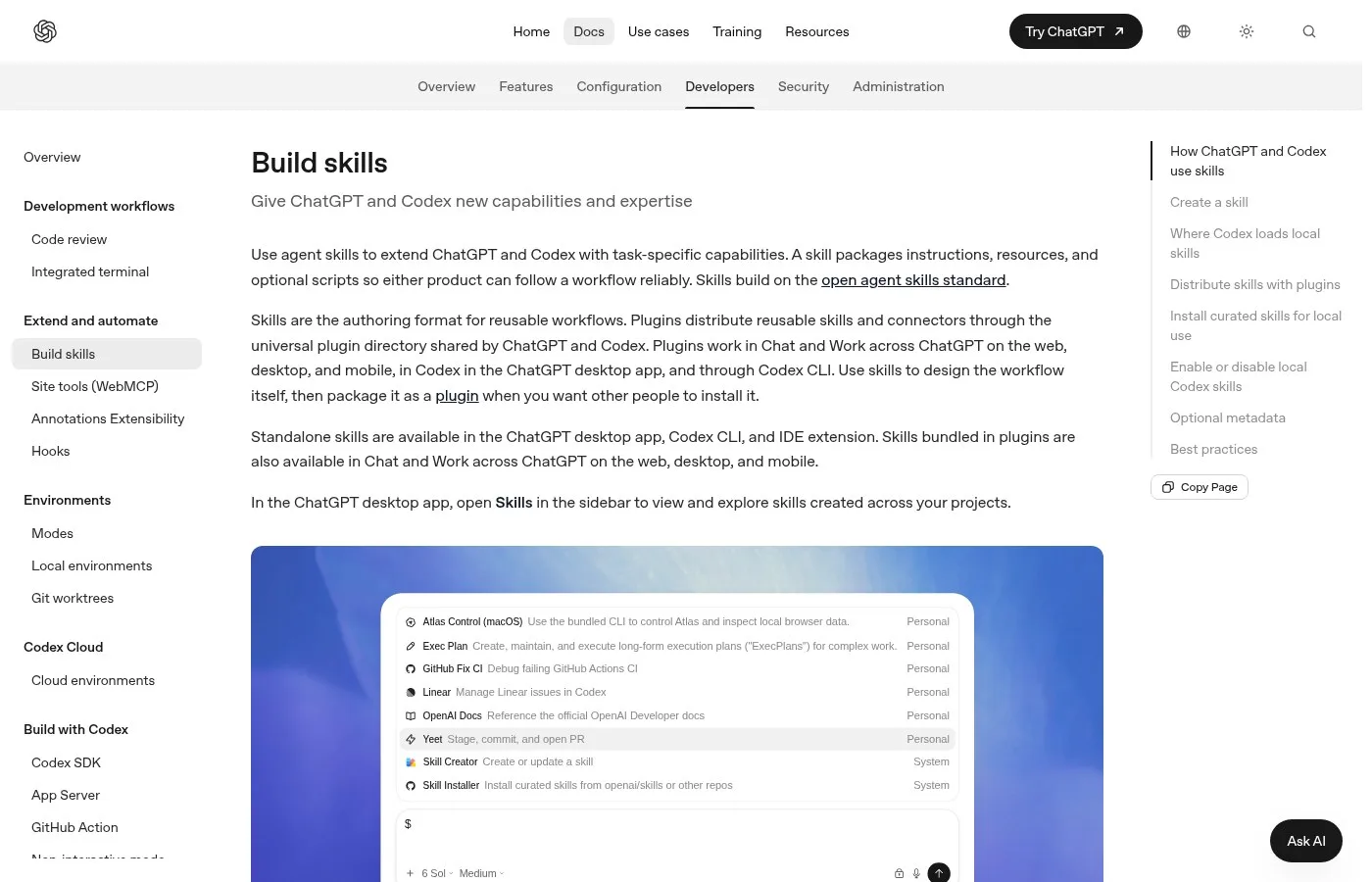
Screenshot of the OpenAI docs page on building skills.
Explain the Job in Plain Words and Let an Agent Build It
Explaining the job to an agent is the second method, and it works when the task lives across several websites. You describe what you click and why, and a coding agent writes a small bot for you. One seller did this in September 2026 for a listing job he had done by hand for 6 or 7 years. No code was written by him.
That way you can basically automate one of the most repetitive parts of an entire dropshipping business using ChatGPT. And the crazy part is you don't have to hire a developer to build it.
You basically just explain exactly what you were doing manually to ChatGPT, to the agent on your computer.
And that entire process turns into a Python bot that does the work all for you. It goes through the listing workflow for you. It can handle your Poshmark listings, your Mercari listings, your Facebook Marketplace listings, your Depop listings.
So instead of you sitting at your computer clicking the same buttons over and over and over again, the bot now works through that process automatically. If it does mess up, it literally stops and gives you the report.
Put Recurring Work on a Schedule
A scheduled agent is an AI agent that runs at a set time without you starting it. The Notion help center in November 2026 says Custom Agents run in the background on triggers and schedules, such as daily, weekly or monthly, and can also react to events in Notion and Slack. This is the method for weekly reports, briefs and meeting prep.
When a job is maybe 75% talking to people, keeping track of all the open threads is a real challenge. So Notion's AI Notetaker is a natural first place to start.
Their agents let you automate tasks in Notion and across the tools that you can connect to Notion.
One agent worth running is a weekly agenda prep. It's scheduled to go off Monday at 9 and it goes through each of your one on ones, goes through that database of meeting notes, looks at some of the recent conversations that you've had.
Some of the checklist items that have gone unchecked. Themes that have been emerging over the recent weeks and it just puts together a draft agenda for this week's one on one.
Underneath the headline that says agenda, there's a little paragraph that says, drafted by a Notion agent, to be confirmed.
It doesn't always get it right, but it gives you a huge head start.
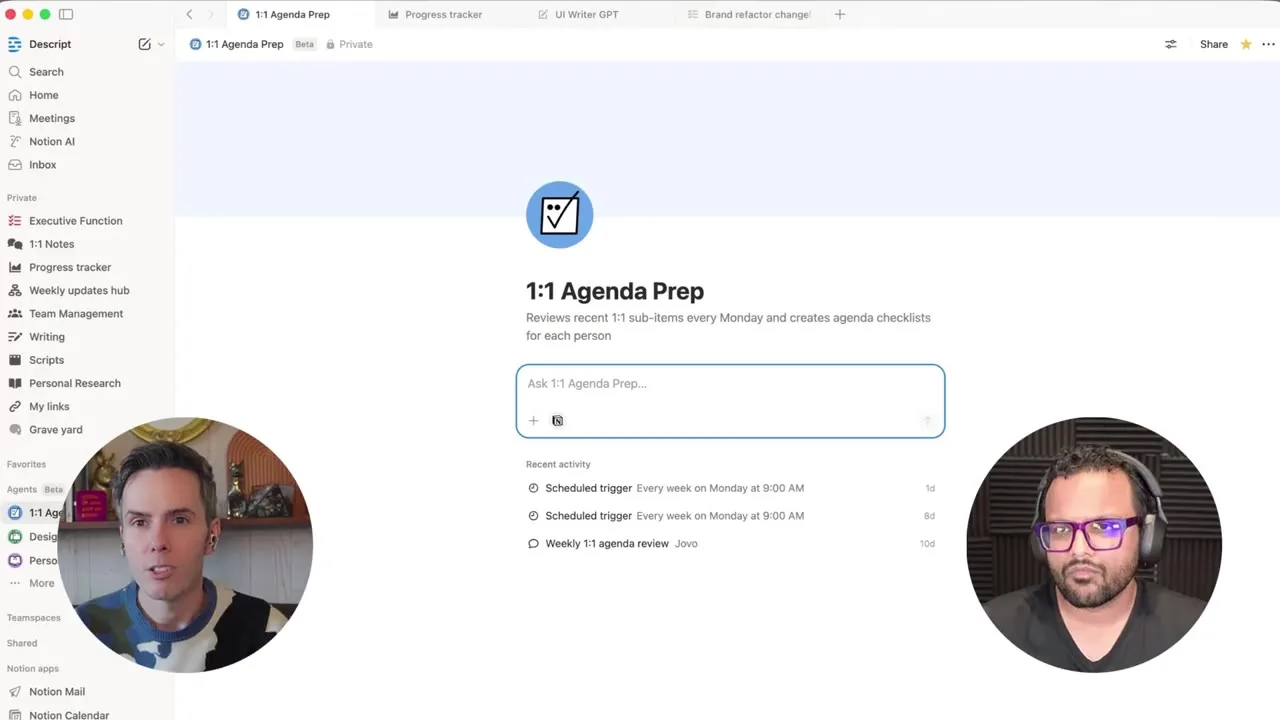
A weekly 1:1 agenda prep agent inside Notion.
Use the Automation Already Inside Your Tools
Built-in automation is the workflow feature that many business apps already include, and in 2026 most of them have AI inside. Before you build anything new, check the CRM, help desk or email tool you already pay for. The setup is often a few rules: when a form is filled, send an email, assign a task, update a record. No new tool is needed.
Still doing the same task manually? Here are tools that can help you automate your work and save your time.
First is HubSpot. Its workflow feature can help you send emails to visitors who have filled a form on your website, less manual work and faster follow ups.
Last is Zoho CRM. Automate follow up emails, assign tasks and update customer records automatically so that your sales process runs smoother.
Stop wasting your time on repetitive tasks. Let the AI do the heavy work.
Turn Every Win Into a Repeatable Skill
A repeatable skill is a saved way of doing a task that the AI can run again, so the same work is never built twice. Teams that got far with AI by late 2026 treat every good chat as raw material for a skill, an app or a scheduled workflow. Without this step, the hour you spend in a chat is gone the next day.
You spend an hour in Claude, you build something really cool, but then you just start over again because you didn't train AI on how to do it.
Nothing you build in AI should get built twice.
So everything either becomes a repeatable skill, an app or an automated workflow so that you are not reinventing the wheel. Your skills can be connected to every app in your business, like QuickBooks, Asana, Notion, and they run on schedules.
Keep Your Data Safe and Check the Work
Data safety in AI automation means knowing where your files go and who can use the keys that connect your tools. In 2026 anything you send to a cloud model goes to that provider's servers, including what your tools read, like PDFs and spreadsheets. A good automation also checks its own output before anything important leaves your hands. Both habits are simple to keep.
Could someone access your business if you use AI to automate it? Well, yes, it's possible. If you're careless, the keys that connect your tools sit in files on your computer and those can be exposed.
So treat those keys like passwords.
How do you know that your AI automation isn't making mistakes? Well, a good automation double checks its own work before it moves on. Like a second pair of eyes.
And before anything important goes out, it's gonna wait for approval.
If your business has some sensitive information, it might be better to use a local AI model or a plan with zero data retention.
Automate Tasks With AI and Pachat
Pachat is a web product at pachat.ai, described on the site as "Different personal AI agents, in one group chat." It does not run your automations, but it is a good place to decide what to automate and to review what an agent produced.
- Write down the task, the steps you take and what a good result looks like.
- Open pachat.ai and put your Claude, Grok Bot, Muse and ChatGPT dots in one group chat.
- Ask which method fits: a skill, a scheduled agent or a small bot. They check each other's facts and argue it out, then you make the call.
For more background, read what an AI agent is, the guide on how to build an AI agent and the guide to AI agents for business.
FAQ
What is the easiest way to automate tasks with AI?
The easiest way is to pick 1 small task you repeat every day or week and use a tool you already have. In 2026 many apps, like Notion, HubSpot and Zoho CRM, have AI automation built in, so you set a trigger and a few rules instead of writing code. Start with that one task, check the result for a week, then add the next one.
Do I need to know how to code to automate tasks with AI?
No. Most tools in 2026 use plain language or drag and drop. You can show Codex a task once and it drafts a skill, or describe your steps to an agent and let it write the bot for you. One seller built a listing bot for 4 marketplaces this way in September 2026 without writing any code himself.
Can AI learn a task by watching me do it?
Yes. As of November 2026 the OpenAI docs describe Record & Replay, which captures a workflow you do and drafts a reusable skill from the demonstration. The skill is saved as a SKILL.md file with instructions, and Codex can load it again in a new thread, so the next time you only attach the files and ask it to do the job.
How do I make an AI agent run on a schedule?
Use a tool with scheduled triggers. In Notion Custom Agents you open Settings, go to Triggers, add a Recurring trigger, pick a frequency such as every week, and set the time and timezone. One design manager runs an agenda prep agent every Monday at 9 that drafts the week's 1:1 agendas from past meeting notes.
Is it safe to give AI my company data?
It can be, if you set it up with care. As of 2026 anything sent to a cloud AI goes to the provider's servers, so check the data policy of your plan. Treat the API keys that connect your tools like passwords, and for sensitive work consider a local model. Add an approval step before anything important goes out.
Can Pachat help me plan an AI automation?
Yes, as a place to think it through. Pachat is a web product at pachat.ai where you put your Claude, Grok Bot, Muse and ChatGPT dots in one group chat. Describe the task and your 3 options, and they check each other's facts and argue it out, then you make the call on which automation to build first.
Ready to put different AIs in one group chat? Start at pachat.ai.
References
- OpenAI Developers, "Build skills," fetched 2026-11-18: https://developers.openai.com/codex/skills
- Notion Help Center, "Custom Agents in Notion," fetched 2026-11-18: https://www.notion.com/help/custom-agents
- Notion Help Center, "Best practices for Notion Custom Agents," fetched 2026-11-18: https://www.notion.com/help/best-practices-for-creating-and-optimizing-a-custom-agent
- @Re_ork, 2026-02-20: https://x.com/Re_ork/status/2024673902085996730
- @jayneil, 2026-04-28: https://x.com/jayneil/status/2049111206703890523
- @PavloBarzdun, 2026-06-19: https://x.com/PavloBarzdun/status/2067831673090089332
- @AspenJordan_5, 2026-08-29: https://x.com/AspenJordan_5/status/2093764220890525779
- @guerra447, 2026-09-25: https://x.com/guerra447/status/2103469577858675047
- @harishjituri12, 2026-10-19: https://x.com/harishjituri12/status/2112060072272752875
- @tomcrawshaw01, 2026-11-02: https://x.com/tomcrawshaw01/status/2117361165315518605