 Pachat.ai

Codex Multi Agent: How Subagents and Parallel Agents Work
Updated 2026-11
TL;DR: Codex multi agent work means Codex spawns subagents in parallel and collects their results in one response; current Codex releases turn this on by default in the app, CLI and IDE extension. It works best when one agent writes while the others explore, test or review, not when ten agents edit the same code at once. Start with read-heavy tasks and check every result with real tests.
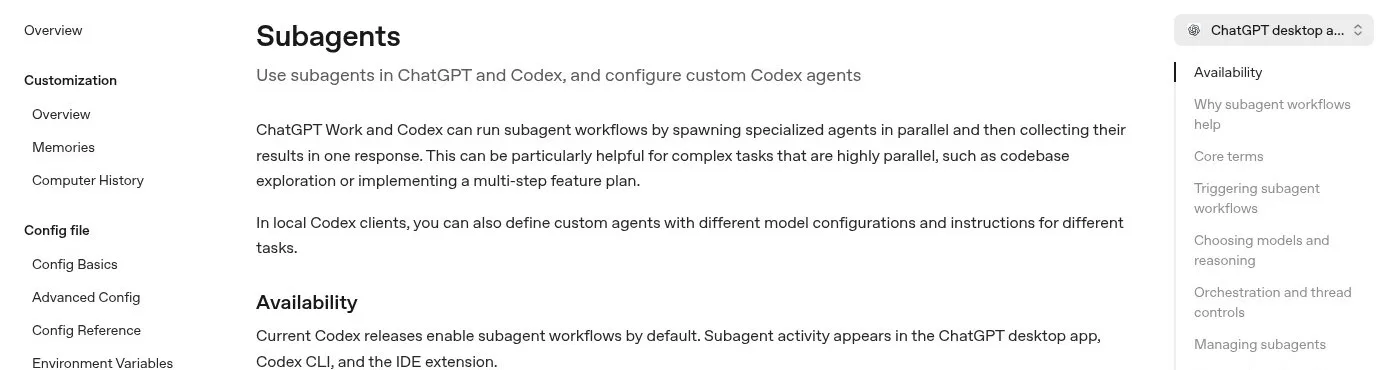
Screenshot of the official Codex subagents documentation page.
What Is Codex Multi Agent?
Codex multi agent is the set of subagent workflows where Codex runs parallel agents and combines their results. As of November 2026, current Codex releases enable it by default, and the activity shows up in the ChatGPT desktop app, the Codex CLI and the IDE extension. The main thread keeps the requirements and decisions, while each of the subagents works in its own agent thread and returns a summary.
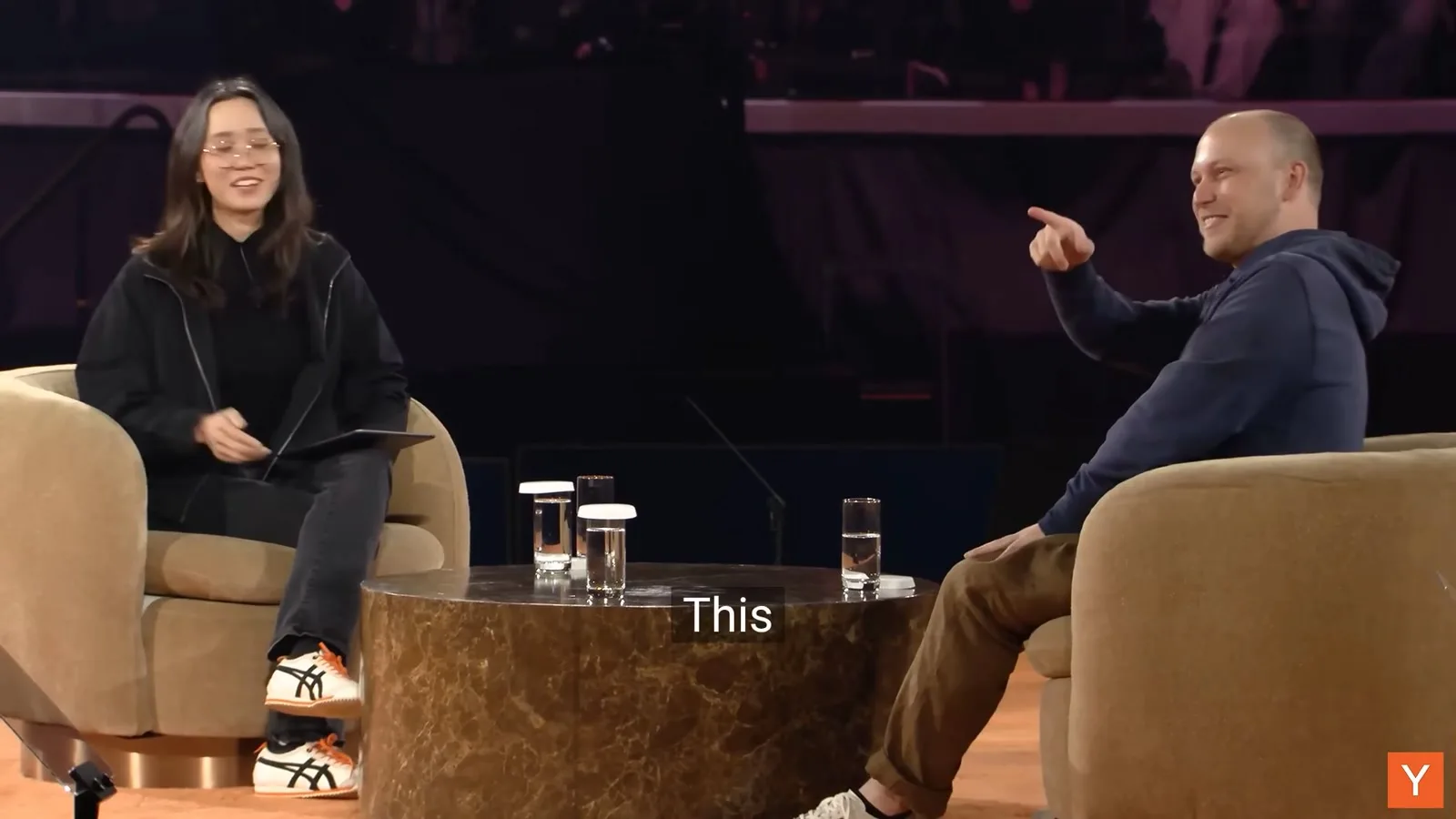
You all know multi-agent is the future, but very few people have gotten it to work until recently.
Everyone thinks that multi-agent means throwing 10 AIs at a problem and having them work in parallel. Swarms, networks, agents negotiating with each other, but that doesn't work in practice.
When you have multiple agents working on the same code base, they often make conflicting decisions. They have different styles, different edge case handling, and it becomes chaos.
The Pattern That Works: One Writer, Many Helpers
The multi-agent pattern that works is single-threaded writing with helpers around it. Anthropic, the creator of Claude, and Cognition, the creator of Devin, both independently came to the same conclusion about multi-agent AI, and it's the opposite of what everyone else is building. Codex follows the same idea in its 2026 docs: send noisy exploration, tests and logs to subagents so the main agent stays focused on 1 clear plan.
The patterns that do work are as follows.
One agent writes while the others contribute intelligence.
Anthropic calls this orchestrator worker. Opus usually does the planning, Sonnet does the execution, while Cognition calls this single-threaded writes with multi-agent intelligence.
- Self-review loop. The first one is the self-review loop. Devin reviews its own code with an agent that has zero context. This is so that you can avoid context rot, where models are less intelligent at longer context lengths, and to avoid any user input bias so that the agents can catch what the coder can't see. On average, the agents are able to catch two bugs per PR where 58% of them are severe bugs.
- Smart friend. The second pattern is the smart friend. Solving hard complex problems becomes easier when you have two frontier models working and communicating with each other. This is because different models perform better at different subtasks. Some are better debugging, some are better visual reasoning, some are better writing tests. The hard part becomes routing the right capabilities according to each model's strengths and weaknesses.
- Research swarm. The final version is the research swarm. Usually a lead agent, that's Opus, spawns a bunch of parallel search agents, that's Sonnet, to fan out, gather information and report back. This reportedly brought over 90% improvement in performance over a single agent, and it handles parallel research beautifully. One key thing to note though, the sub agents are all read-only, which means they only report back to the lead agent.
How to Run Codex Multi Agent Workflows
Running Codex multi agent workflows is mostly a matter of asking for them. As of November 2026, local Codex releases delegate when you ask directly, for example "spawn two agents" or "use one agent per point", or when AGENTS.md or skill instructions request it. In the CLI, the /subagents command lets you inspect and switch between agent threads while they run, and the main thread collects the results.
Codex didn't die. It became the harness. The harness is the engine around a model. It reads the files, the code, and uses tools.
So here's what that means for you. Plug in connectors like Slack and Google Drive, so the agent already has enough context. Talk to it like a teammate, not like a search box.
Don't max out reasoning. Max reasoning is slower and can overthink. Using sub agents is very important: the main agent sends hard logic to a stronger model and repetitive tasks to a lighter model, like a lead dev handing out various tickets to new software engineers.
A practical setup in Codex looks like this:
- Ask for the split in plain words: one subagent for security risks, one for test gaps, one for maintainability, then wait for all of them and summarize.
- Add custom agents as TOML files in
.codex/agents/for a project or~/.codex/agents/for personal use. Each file needsname,descriptionanddeveloper_instructions, and can setmodelandmodel_reasoning_effort. - Cap parallel threads in
.codex/config.tomlunder[agents]withmax_concurrent_threads_per_session. - Use
/subagentsin the CLI to check, steer or stop a running agent thread.
Codex also ships with three built-in agents: default, worker for implementation and fixes, and explorer for read-heavy codebase exploration. For a broader walkthrough, see how to use Codex.
Mix Codex With Other Coding Agents
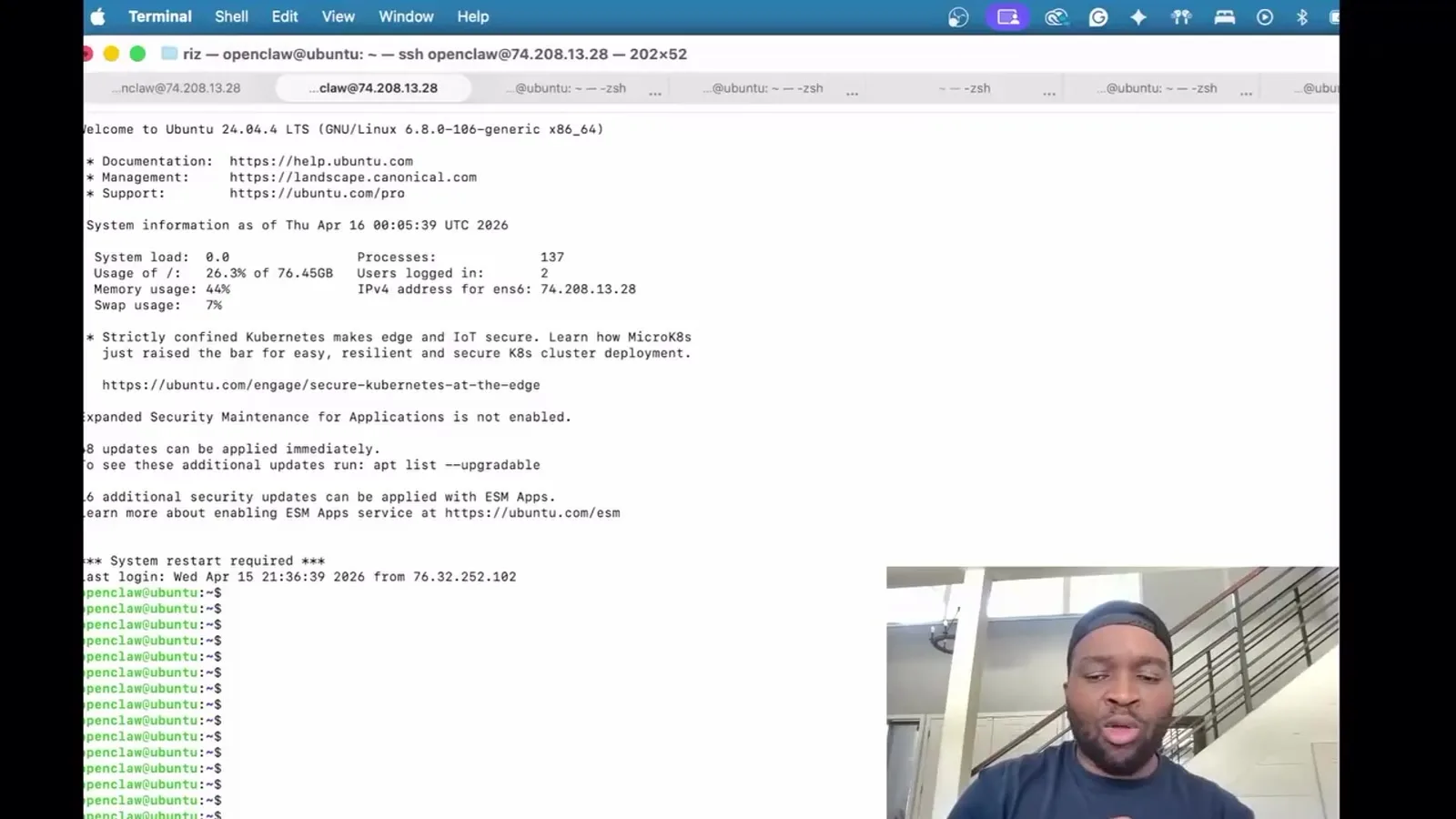
Cross-agent orchestration is the practice of letting Codex and other agents, such as Claude Code or Grok, see and answer each other inside one workspace. A July 2026 terminal demo showed a socket API that lets 1 agent read what the agents in other tabs are doing. By November 2026, open-source tools let agents search each other's session histories and share findings.
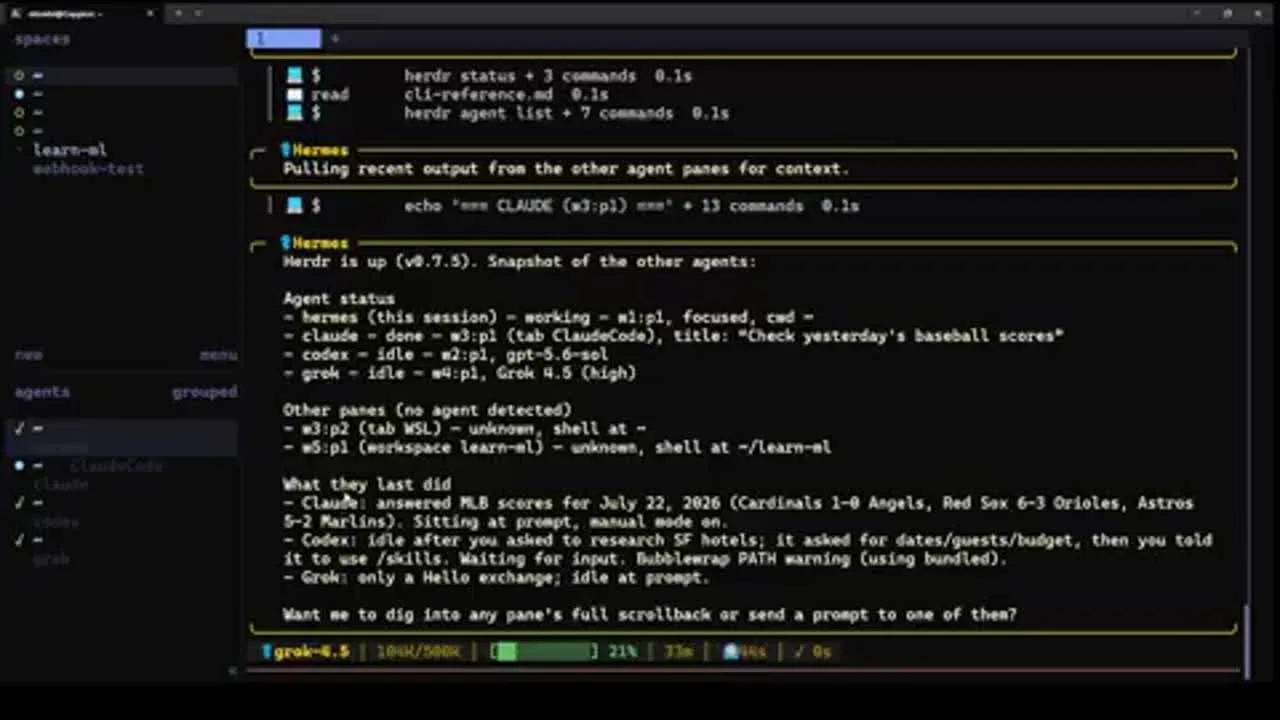
Frame from a demo of one agent checking on Claude, Codex and Grok in other tabs.
The really cool thing about this is it exposes a socket API. It knows Claude is working, it knows Codex is working, it knows Grok is working and it knows exactly what is happening in the session. So you can kind of use one agent to orchestrate with the other ones all in one interface.
You can even have one agent answer the questions Codex had. With no travel details on file, it sent Codex sensible default assumptions, so you could have one agent kind of answer and talk to the other agents right within it. It's a really cool feature, especially for those of you running multiple agents on different agent harnesses.
AI coding agents can now communicate with each other, share context and collaborate on development tasks. Let's say you're using Claude Code to build a new feature while another developer uses Codex to fix a bug in the same code base. Normally, these agents don't automatically know what the other has already discovered. With shared tools, they can search each other's session histories, share findings and communicate through a shared message board. And it even works across different machines and coding environments.
Some command-line tools go further: you have the ability to run multiple coding agents in a single CLI. You're not locked into a single agent, even part of a single session, and you can switch within a session to different agents. So you're moving from individual AI coding assistants toward connected teams of AI agents. If you also use Claude, compare this with Claude Code subagents and Claude Code agent teams.
Know the Limits Before You Split the Work
The main limit of Codex multi agent work is that more agents do not make the answers more correct. As of November 2026, both Claude Code and Codex read your repo, edit files, run commands, and connect to outside tools through MCP. OpenAI's docs advise starting with read-heavy tasks such as exploration, tests, triage and summarization, because 2 agents editing code at once can create conflicts and add coordination work.
They can be confidently wrong and they are only as good as the tests and instructions you give them.
So when multiple AI agents are writing and modifying code, how do you verify that their changes actually work? Let coding agents like Claude Code and Codex execute real browser tests, validate user workflows and retrieve detailed failure evidence. The agents can then use those results to fix issues and rerun tests.
Choose by workflow, not hype. Not sure? Run one real task in both. For phone access to a running session, see Codex remote control.
Check a Multi-Agent Plan in Pachat
Pachat is a web product at pachat.ai, described on the site as "Different personal AI agents, in one group chat." It fits the planning step before you hand work to Codex subagents.
The pachat.ai homepage.
- Write down how you plan to split the task: which agent writes, which ones explore, test or review.
- Open pachat.ai and put your Claude, Grok Bot, Muse and ChatGPT dots in one group chat.
- Paste the plan and ask what could conflict. They check each other's facts and argue it out, then you make the call.
FAQ
What is Codex multi agent?
Codex multi agent refers to subagent workflows in which Codex spawns specialized agents in parallel and then collects their results in one response. As of November 2026, current Codex releases enable these workflows by default, and you can see the activity in the ChatGPT desktop app, the Codex CLI and the IDE extension. The main thread keeps your requirements and decisions, while subagents handle exploration, tests or log analysis and return summaries instead of raw output.
How do I start subagents in Codex?
Ask for them directly. Prompts such as "spawn two agents", "delegate this work in parallel" or "use one agent per point" work in 2026 releases, and Codex can also delegate when AGENTS.md or skill instructions ask for it. A good prompt says how to divide the work, whether Codex should wait for all agents, and what summary to return. In the CLI, use /subagents to inspect and switch between agent threads.
How do I create a custom Codex agent?
Add a standalone TOML file under .codex/agents/ for a project or ~/.codex/agents/ for personal agents. Each file must define 3 fields: name, description and developer_instructions. It can also set model and model_reasoning_effort, which then take precedence. Custom agents inherit the parent's permissions, sandbox and MCP servers, so set approvals on the parent session before you delegate, as the docs describe in November 2026.
How many subagents can Codex run at once?
You can cap it with max_concurrent_threads_per_session under [agents] in your Codex config. The official example sets it to 6, and the cap excludes the primary thread. If you leave it unset, Codex chooses the default. In practice, start small: 2 or 3 read-only agents for exploration, tests and review are easier to follow than many agents working on the same files.
Should Codex subagents edit code in parallel?
Be careful. As of 2026, OpenAI's docs suggest starting parallel agents on read-heavy work such as exploration, tests, triage and summarization, because agents editing code at once can create conflicts and more coordination work. A safer pattern is 1 writing agent with helpers that explore, test or review, and real tests that check every change before you merge it.
Can Pachat help me plan a Codex multi agent workflow?
Yes. Pachat is a web product at pachat.ai, "Different personal AI agents, in one group chat." Before you split a task across Codex subagents, put your Claude, Grok Bot, Muse and ChatGPT dots in one group chat and paste your plan, for example 1 writer and 2 reviewers. They check each other's facts and argue it out, then you make the call.
Want a second opinion on your agent plan? Try it at pachat.ai.
References
- OpenAI, "Subagents" (Codex docs), fetched 2026-11-20: https://developers.openai.com/codex/subagents
- Cognition, "Multi-Agents: What's Actually Working": https://cognition.com/blog/multi-agents-working
- Anthropic, "How we built our multi-agent research system": https://www.anthropic.com/engineering/multi-agent-research-system
- @0xAndros, 2026-04-27: https://x.com/0xAndros/status/2048831902401085853
- @tonbistudio, 2026-07-24: https://x.com/tonbistudio/status/2080655491227598991
- @dr_cintas, 2026-01-18: https://x.com/dr_cintas/status/2012990798262874182
- @bsalchhetri, 2026-11-18: https://x.com/bsalchhetri/status/2122881820991844638
- @testmuai, 2026-11-18: https://x.com/testmuai/status/2122944148525498740
- @AbdulSonaike, 2026-11-18: https://x.com/AbdulSonaike/status/2123117580537765919