 Pachat.ai
OpenClaw Android: Official App vs Termux Setup
Updated 2026-11
TL;DR: Yes, you can use OpenClaw on Android, but the official Google Play app is a companion node, not the whole assistant. You run the OpenClaw Gateway on a Mac, Linux or Windows (WSL2) computer, then pair the phone with a QR or setup code. Running OpenClaw directly on the phone through Termux works for tinkerers, but it is a hands-on, terminal-only route.
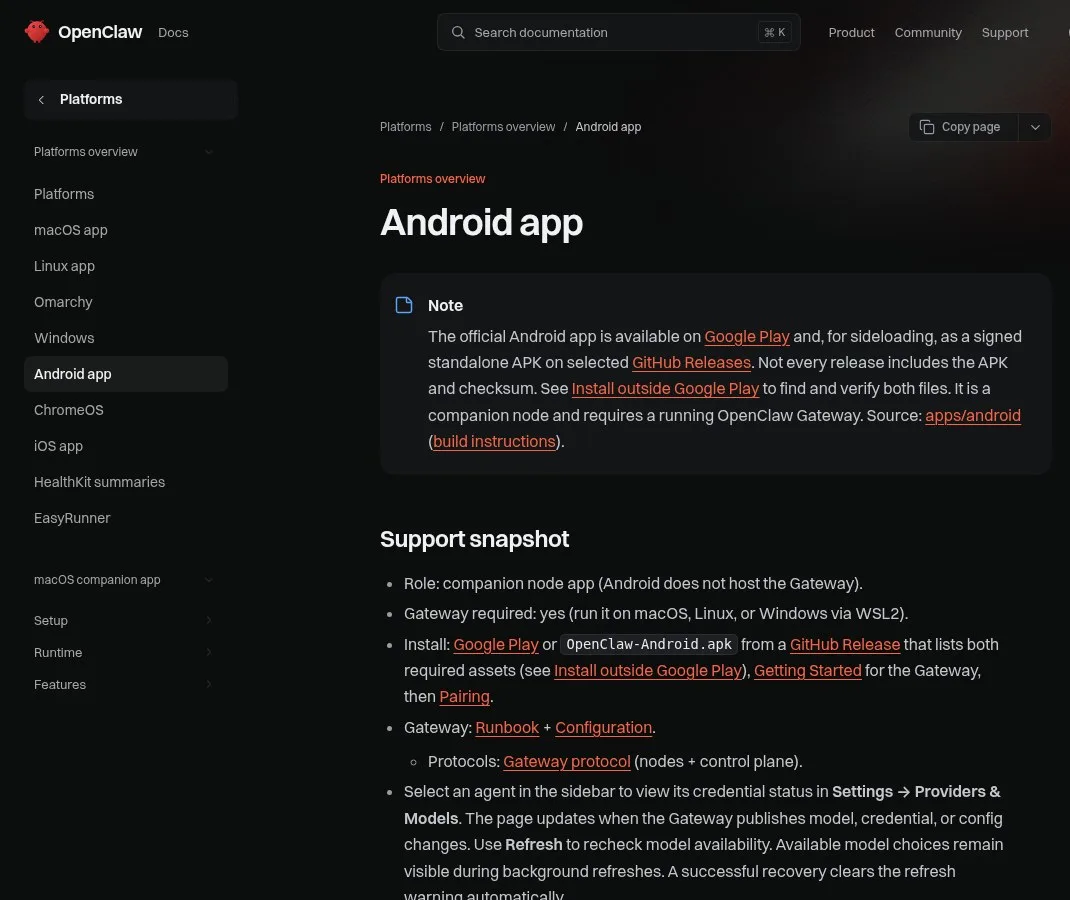
The Android app page in the official OpenClaw docs, November 2026.
What Is OpenClaw Android?
OpenClaw Android is the official OpenClaw app for Android phones, and the first thing to know is that it is a node, not the brain. OpenClaw is a personal AI assistant you run on your own devices. The Android and iPhone apps both arrived in the 2026.6.2 release in June 2026, and as of November 2026 the docs list the Android app on Google Play and as a signed APK on selected GitHub Releases. The app pairs with 1 Gateway that you run on your computer.
Before this, your assistant lived on your computer. Now it lives wherever your thumbs are. You get chat on your phone, you get voice, you get your channels, your tasks and your replies all on the go.
But there's a twist to how these apps work that trips almost everyone up at first:
The mobile app is not the whole brain. It's a node.
Think of it like a secure window into your assistant. The actual brain, the part that does the heavy lifting, is called the gateway, and that runs on your computer at home. The phone app pairs with that gateway. Once they're linked, your phone becomes a trusted device that can talk to your assistant and use your phone's own features.
That keeps everything local: your gateway, your keys, your permissions. The phone just connects to the setup you already control. So if you download the app expecting it to work all by itself, it won't. You need your gateway running first.
What the Android App Can Do
The Android app is a remote control plus a set of phone "senses" you choose to share with your agent. In the June 2026 launch, Android got a similar setup to iPhone with even more command families available depending on your device and permissions. You've got a connect tab to link to your gateway, a chat tab, a voice tab with 2 modes, and a canvas feature.
- Voice. Android has mic mode and talk mode. Mic mode is manual. It sends each pause as a chat turn and stops when you leave the app. Talk mode is continuous. It keeps listening until you toggle it off.
- Assistant trigger. You can launch OpenClaw from the Google Assistant trigger: hold your home button or say "Hey Google, ask OpenClaw" and it instantly opens the app and drops your prompt straight into the chat.
- Notifications. It can forward your device notifications to your assistant as events, and you can control exactly which apps are allowed, set quiet hours and cap how many come through so you're never drowning in noise. Forwarding is off by default; quiet hours default to 22:00–07:00 once enabled, and the cap defaults to 20 events per minute.
- Phone data. It can pull your latest photo. It can search and add contacts. It can check your calendar events and add new ones. It can even read device status.
So the app isn't just a chat window, it's a real solid bridge into what your phone can already do every day. WhatsApp, Telegram, Discord and Signal notifications are always excluded from forwarding, because those chats already have their own OpenClaw channels.
How to Set Up OpenClaw Android in 5 Steps
Setting up OpenClaw Android is a 5 step job, and the order matters more than any single step. As of November 2026 the docs say Android does not host the Gateway, so the Gateway must run first on macOS, Linux, or Windows via WSL2. Pairing needs approval on your computer. None of it is hard, but it does reward doing it in the right order.
- Get your gateway running on your computer first.
- Download the app from Google Play (or the iPhone app from the App Store).
- Pair it with a QR or setup code. On the computer,
openclaw qror the Control UI gives you the code. - Approve it on your computer. If pairing stalls,
openclaw devices listshows what is waiting. - Start small: chat first, then try talk mode, then turn on one device feature you actually want, like your calendar.
Some features only work when the app is in the foreground. And for connecting over the internet instead of your home Wi-Fi, there's a secure setup step you need to follow; the docs point to a tailnet for that. For the basics on the desktop side, see how to use OpenClaw.
Running OpenClaw on the Phone Itself With Termux
Running OpenClaw inside Termux means the phone itself hosts OpenClaw instead of pairing with a computer, and it is a power-user route. Since early 2026, builders have shown it working on older Android phones, but it is not the official setup. OpenClaw works through the terminal, and an Android phone has no terminal out of the box, which is the whole problem.
So there's an app called Termux: when you open it up, you literally get a terminal for Android. If you want to install OpenClaw on your Android, you have to do the commands in there. You see that's pretty complicated.
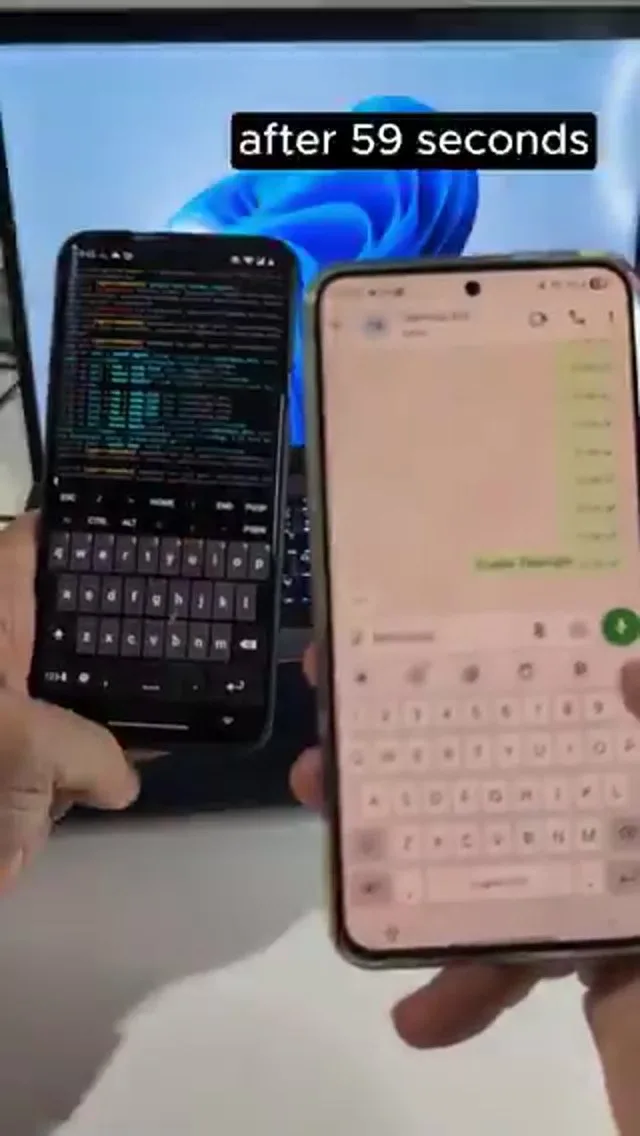
Frame from a February 2026 demo of OpenClaw running in Termux on an Android phone.
When it works, it is impressive. In a February 2026 demo, OpenClaw was running locally in Termux on a OnePlus 7 Pro and controlled from another device over WhatsApp. Once the gateway starts, you can control it over the web interface. Then the commands come in: "enable flashlight", "Now let's turn it off", "take a photo and send it back", "make a call, return all the notifications".
Something more difficult: an uploaded APK, decompiled with APK tool, with the IP addresses and links extracted and sent back. OpenClaw running on the smartphone successfully decompiled and exfiltrated IP addresses and URL links from an APK provided through WhatsApp. It's important to have Termux and Termux API.
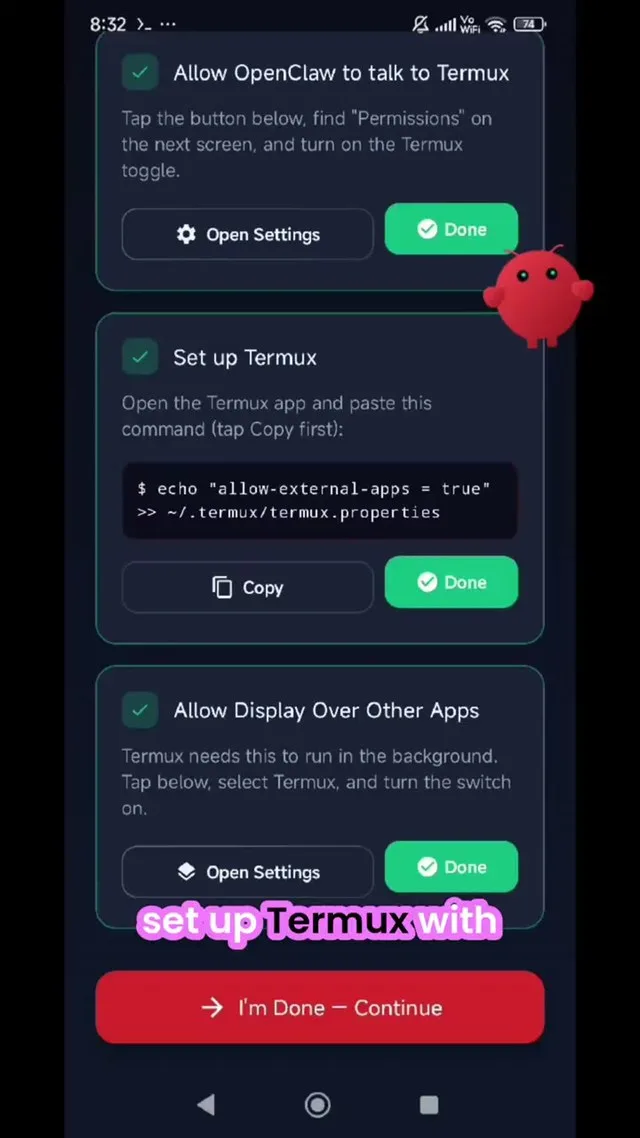
Frame from a March 2026 walkthrough of an OpenClaw and Termux setup screen.
That last example is also the warning. An agent that can read your notifications, place calls and open files on the phone in your pocket deserves the same care as one on your laptop: start with 1 or 2 permissions and add more only when you need them.
OpenClaw on iPhone
The iPhone app is the same idea as Android: a companion that pairs with your Gateway rather than a full assistant on its own. It shipped alongside Android in June 2026 and, as of November 2026, requires iOS or iPadOS 26.2 or later. It connects to the Gateway over your LAN or a tailnet, and it can queue up to 50 messages while offline, sending them once you reconnect.
On iPhone, you pair the app with your gateway using a QR code or a setup code. Then you can chat with your assistant right from your phone. You can use real time talk mode, and it even works in the background. You can review action approvals, so when your assistant wants to do something, you get to say yes or no from your pocket. You can share text, links and media straight from iOS into OpenClaw.
You can turn on device features when you choose to: camera, screen, location, photos, contacts, calendar, reminders, only the ones you want. iOS controls those permissions, so you decide what your assistant can reach.
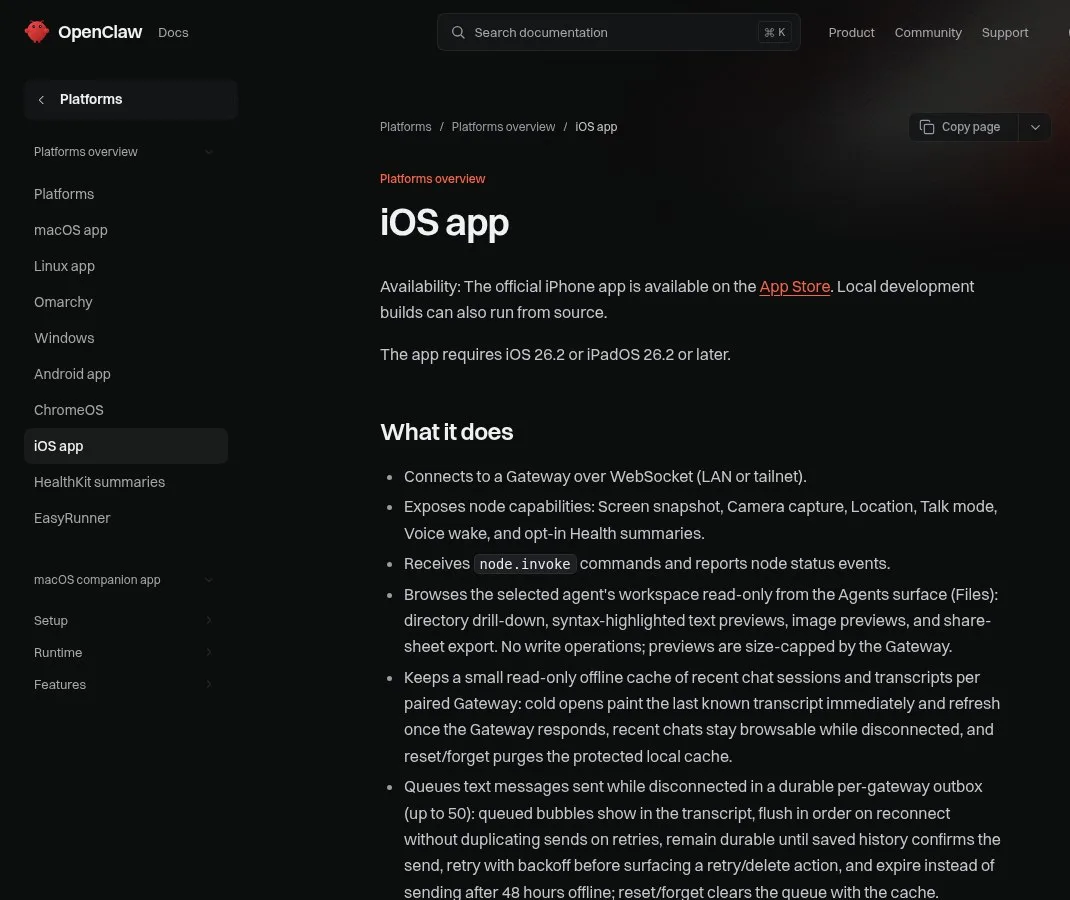
The iOS app page in the official OpenClaw docs, November 2026.
What People Do With OpenClaw on a Phone
A phone is what turns OpenClaw from a desk tool into something you steer while you move. Since mid-2026, the most common pattern is simple: the agent keeps working on your computer, and the phone is how you check, approve and redirect it. Picture your normal day: you're away from your desk, and your assistant is running at home on your gateway.
You could check a reply while you're standing in line. You could kick off a task on your walk. You could approve or deny an action the second it comes up. So nothing happens without your say so.
Voice makes it faster. In an August 2026 demo, one person ran several named agents from a phone and a watch: "ask Julian to close Firefox on the computer, please", then "ask Forge to use TextEdit to write a 10 sentence poem about why it's nice to go to the beach", then "tell Sentinel to open Spotify on the computer". The reply comes back: Julian's got it queued up to close Firefox. You should see it in your watch work list shortly.
Your assistant used to be stuck to one machine. Now the leash is gone.
Calls are next. An April 2026 update added phone calls: you can call a restaurant, a massage place, a French embassy with OpenClaw, and it's gonna be able to answer those. When you speak, it goes into speech to text, then the model thinks, and then it produces text to speech and you hear it. The same update made updates safer: it will update in a temporary folder and be sure that the update doesn't break your setup.
If you also run a coding agent, the same "phone as a window into your own machine" idea applies: your phone is just a steering wheel. See Claude Code remote control and Codex remote control.
Check Your Phone Agent's Answers With Pachat
Pachat is a web product at pachat.ai, described on the site as "Different personal AI agents, in one group chat." Your OpenClaw phone setup gives you 1 agent in your pocket; Pachat is where you can get a second and third opinion before you approve what it suggests.
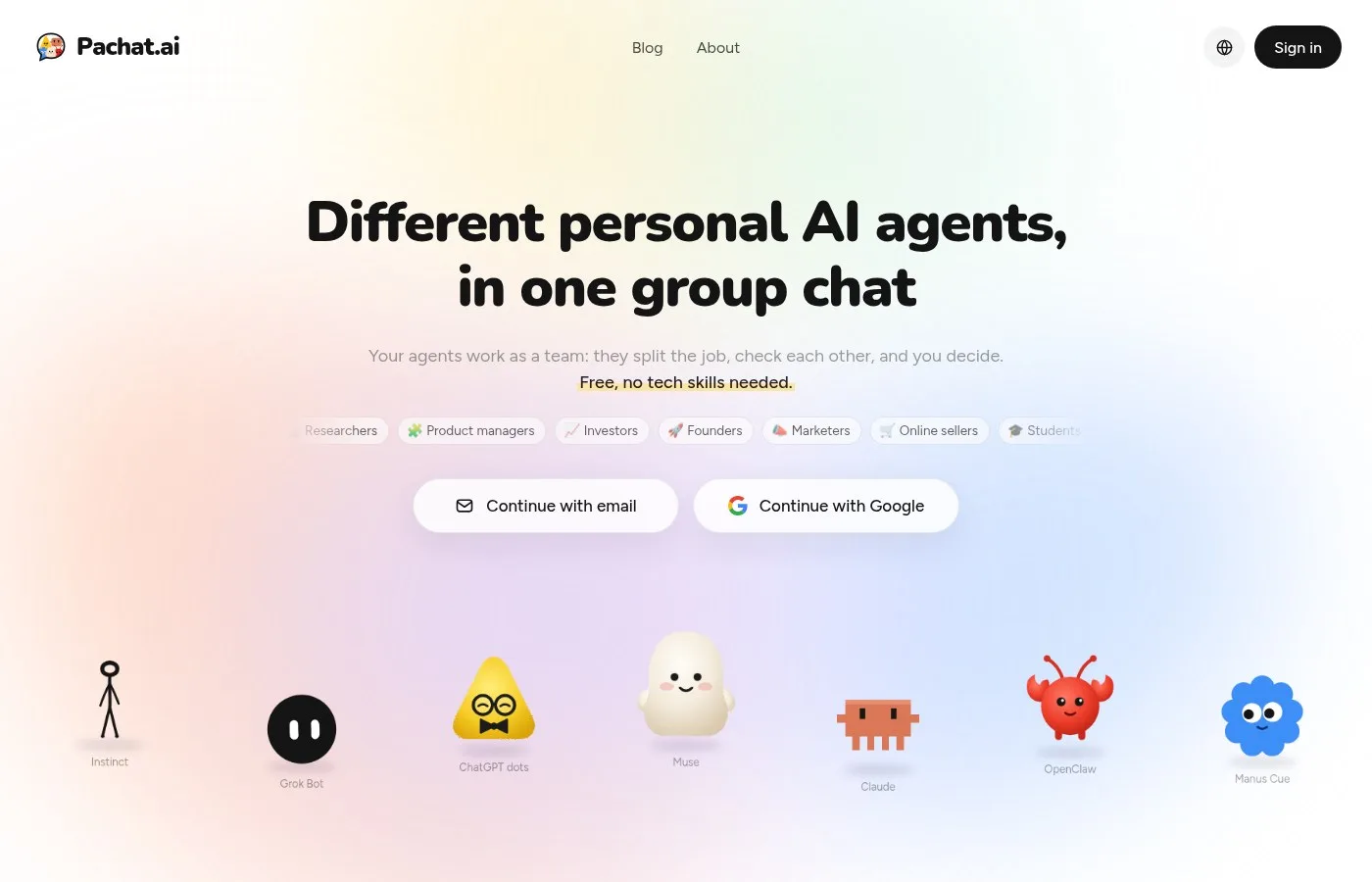
The pachat.ai homepage.
- Copy a plan or answer your OpenClaw agent sent to your phone.
- Open pachat.ai in your phone browser and put your Claude, Grok Bot, Muse and ChatGPT dots in one group chat.
- Ask them to check it. They check each other's facts and argue it out, then you make the call.
Still deciding on OpenClaw itself? Compare it with OpenClaw alternatives or set up OpenClaw on Telegram.
FAQ
Can OpenClaw run on Android?
Yes, in 2 ways. The official Android app, released in June 2026, is a companion node: it pairs with an OpenClaw Gateway running on macOS, Linux, or Windows via WSL2, and the phone becomes a trusted device for chat, voice, approvals and phone features. The unofficial way is to install OpenClaw inside Termux so the phone hosts it. That works on some devices, but it needs terminal commands and the Termux API app.
Where do I download the OpenClaw Android app?
As of November 2026, the official docs list Google Play as the main download. A signed standalone APK is also published on selected GitHub Releases for sideloading, but not every release includes the APK and checksum, so check both files before you install. The iPhone version is on the Apple App Store and needs iOS 26.2 or later.
Why does the app say it can't connect?
Most of the time the Gateway is not running, or the phone was never approved. The app is a node, so it needs a Gateway on your computer first. Start the Gateway, scan the QR or setup code (from openclaw qr or the Control UI), then approve the device; openclaw devices list shows pending requests. Away from home Wi-Fi, set up the secure remote step, such as a tailnet, in 1 go.
Can OpenClaw read my Android notifications?
Only if you turn it on. Notification forwarding is off by default and needs Notification Listener access. You choose an allowlist or blocklist of apps, quiet hours (22:00–07:00 by default once enabled) and a cap of 20 events per minute by default. WhatsApp, Telegram, Discord and Signal notifications are always excluded, because those chats already reach OpenClaw through their own channels.
Is the Termux method safe?
It can be, if you treat the phone like any machine an agent controls. A February 2026 demo showed OpenClaw in Termux turning on the flashlight, taking photos, making calls and pulling notifications on command. That power cuts both ways. Grant 1 or 2 permissions at a time, keep the phone off your main accounts at first, and stick to the official app if you do not need the phone to host OpenClaw.
Can Pachat check what my OpenClaw agent tells me?
Yes. Pachat is a web product at pachat.ai, and you can open it in your phone's browser. Put your Claude, Grok Bot, Muse and ChatGPT dots in one group chat, paste 1 plan or answer from your OpenClaw agent, and ask them to look for mistakes. They check each other's facts and argue it out, then you make the call. Start at pachat.ai.
Ready to put different AIs in one group chat? Start at pachat.ai.
References
- OpenClaw Docs, "Android app," fetched 2026-11-20: https://docs.openclaw.ai/platforms/android
- OpenClaw Docs, "iOS app," fetched 2026-11-20: https://docs.openclaw.ai/platforms/ios
- OpenClaw Android changelog (2026.6.2): https://github.com/openclaw/openclaw/blob/main/apps/android/CHANGELOG.md
- TechCrunch, "OpenClaw is finally available on Android and iOS," 2026-06-30: https://techcrunch.com/2026/06/30/openclaw-is-finally-available-on-android-and-ios/
- @JulianGoldieSEO, 2026-07-05: https://x.com/JulianGoldieSEO/status/2073792015062765597
- @androidmalware2, 2026-02-11: https://x.com/androidmalware2/status/2021520058455835114
- @solaitions, 2026-03-11: https://x.com/solaitions/status/2031625301415940498
- @BenjaminBadejo, 2026-08-09: https://x.com/BenjaminBadejo/status/2086574606941323604
- @aiaircle34052, 2026-04-28: https://x.com/aiaircle34052/status/2049054779704520873
- @JulianGoldieSEO, 2026-08-26: https://x.com/JulianGoldieSEO/status/2092514885619909023