 Pachat.ai
Free AI Agents: What Actually Works in 2026
Updated 2026-11
TL;DR: Free AI agents in 2026 are mostly open source agents like Hermes Agent, paired with a free model on OpenRouter or a local model through Ollama. You can also build a simple agent in n8n or run Claude Code against a model on your own laptop. They are good enough for everyday work, but most need your computer awake and a bit of setup.
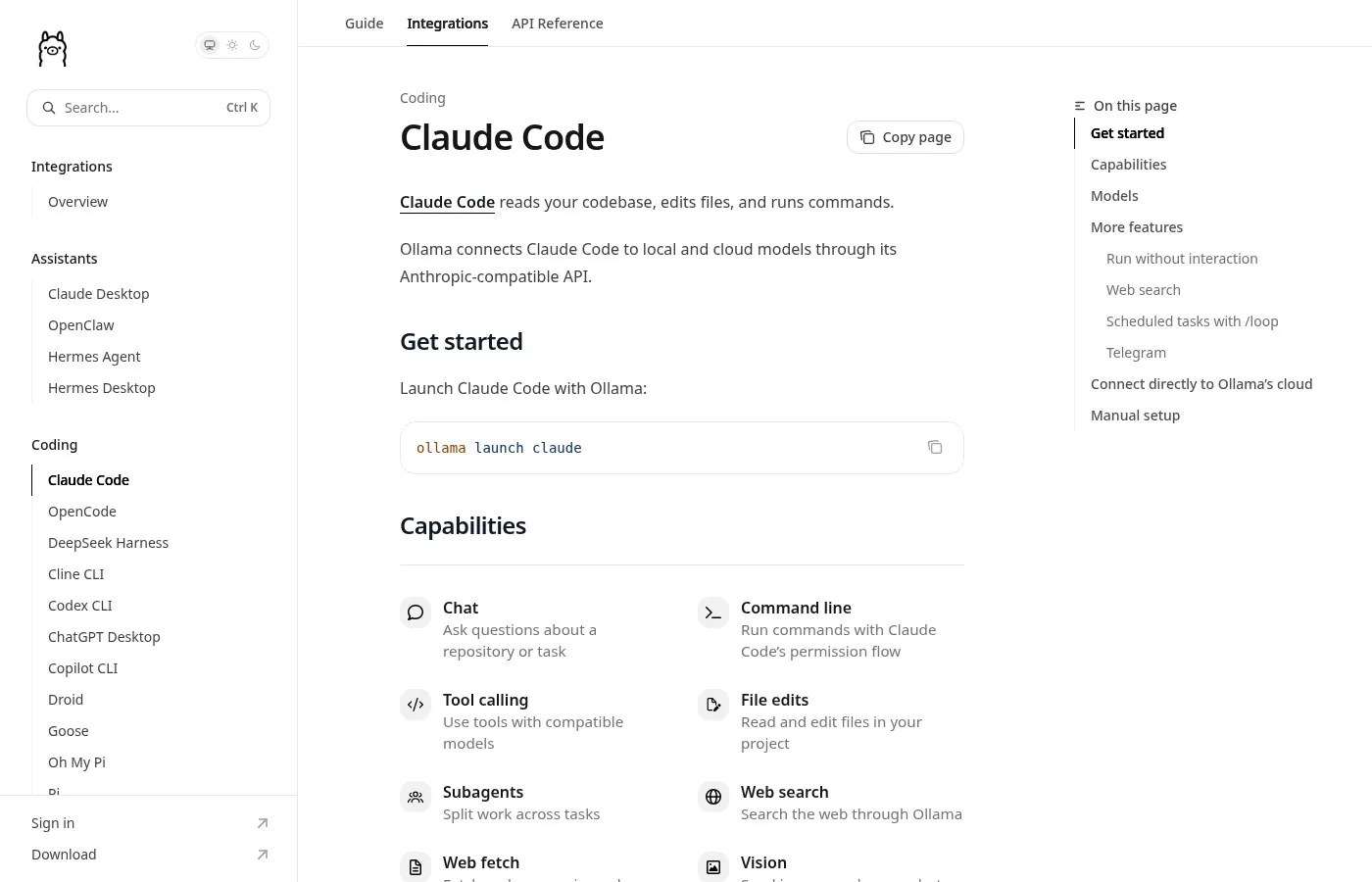
Screenshot of the Ollama docs page on Claude Code.
What Are Free AI Agents?
Free AI agents are AI tools that can plan and take actions for you, like editing files, browsing or running tasks on a schedule, without a paid plan. In 2026 they usually combine 2 parts: an open source agent you install yourself and a model that costs nothing to call, either a free model on a hosted router or an open model running on your own machine.
Free in 2026 just means open source and community powered, not weak.
Some people would say free tools are always low quality. Other people say, "I need to be a developer or coder to use AI agents like Hermes." But Hermes Agent has a user interface anyone can use. You just type in plain English. The agent does the rest.
So what is Hermes Agent? It's an open source AI agent built by Nous Research. It's MIT licensed and you host it yourself. What makes it different is the learning loop.
Run Hermes Agent With a Free Model
Hermes Agent is one of the most used free AI agents in 2026 because it can switch models with one command. The usual free setup pairs it with OpenRouter, which lists some models with a free option. A creator showed the full setup in May 2026 using a new model that OpenRouter offered at no charge. It took only a few minutes from start to finish.
So what you can do here is just go to Hermes setup inside your terminal. Once you've installed Hermes, scroll down and go to OpenRouter. Then from there, you need to select your model.
You go to your settings once you've logged in to OpenRouter, and then you just create a new key like this. And once you've done that, you would go back over to Hermes, paste this in.
And anytime you need to switch models, you just type forward slash model inside Hermes Agent, scroll down, enter on the model, and then you can just switch between them like that.
Tell it it shouldn't be the main model, just an option when you select it. Otherwise, if Hermes switches API midway through, it's gonna stop working.
The thing to love about Hermes Agent in particular, and probably why it's so popular, is it can just fix itself.
Use an AI Account You Already Have
Bringing an existing account is a way to run a free agent without adding a new bill, because the agent itself costs nothing. Hermes Agent can connect to providers you already use. One creator in June 2026 showed it running on Grok through an X Premium subscription he already paid for, set up in a few taps. No new key was needed.
If you're subscribed to X, you can actually use your X account to use AI agents. So first of all, go to providers and then tap connect another provider.
Then when you go back to your Hermes, it's gonna show you this. So select the latest one and then tap start chatting.
Go to your model and make sure that xAI has been selected.
Run Claude Code on a Local Model With Ollama
Claude Code with Ollama is a setup where the Claude Code agent talks to a model running on your own computer instead of a paid cloud model. As of November 2026 the Ollama docs say one command, ollama launch claude, starts it. For local models they suggest a context window of 64k or more for larger projects. Smaller projects can use a smaller window.
Back in January, Ollama shipped an update that let Claude Code talk straight to a model running on your own computer.
So you can take Claude Code, point it at a free brain on your laptop, and it runs offline. Two small settings and one line, and you're done.
But here's what nobody tells you. Once it's running, you're staring at a black window, a blinking cursor, that's it. For most people, that's where the excitement dies, because typing commands into a bare window isn't a tool, it's homework.
The very first answer can take a few seconds while the brain wakes up. But once it's warm, it moves.
And the free models out now are way better than the ones from a year ago. They're close to the paid ones for everyday work. Not equal on the hardest stuff, but close enough that most of your day to day jobs run fine.
Build a Free AI Agent in n8n
n8n is an automation tool where you build an AI agent by connecting nodes on a canvas, and it is a common way to make a first agent in 2026. You add a chat trigger, an AI Agent node, a model, memory and tools. If you want to avoid paid model calls, you can plug in a local model through Ollama.
So first you're going to have to set up an account with n8n, which is an AI automation software. Then you're going to go ahead and add a chat trigger node. This is going to allow you to chat with your workflow.
After that, you're going to look up the AI agent node, which is going to actually allow you to build your AI agent. Then you will add your system prompt, which is going to tell the agent exactly what it needs to be.
After that, you add a memory to it so that the agent can actually remember your conversation.
And once that's done, you can start adding tools to this agent so that it can start executing tasks for you.
For the model, use DeepSeek R1 inside your n8n workflows by running it locally with Ollama. Ollama is a platform that simplifies running this type of large language model locally inside a computer.
Keep in mind the size of these parameters according to your system's power.
So select the smallest model size, which is 1.1 GB, which is 1.5 billion parameters. Then, inside the chat model, use the Ollama chat model and select the model that you just downloaded.
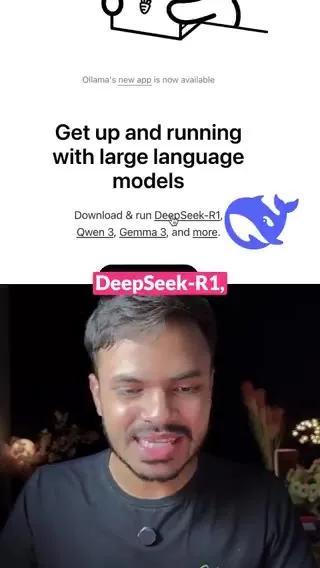
Picking a DeepSeek R1 model size on the Ollama site.
Free Open Source Agents That Use Your Computer
Computer use agents are free AI agents that move the mouse, type and run commands on a computer for you. Several are open source on GitHub in 2026, and one creator in November 2026 ranked 5 of them. Read each project's readme first, because terms and support change over time. Run them in a safe test setup first, never on your main account.
Someone uploaded to GitHub an AI that controls a computer on its own. It moves the mouse, types and runs commands.
Codex, OpenAI's coding agent, runs locally in your terminal. You talk to it in plain language and it codes and fixes things on its own.
OpenAdapt. You show it a task and it turns it into a program that repeats it. It verifies every step and stops if something doesn't match instead of guessing.
And Open Computer Use, an AI that controls a Linux computer. It moves the mouse, types and runs commands. You watch everything live and pause it whenever you want.
How Good Are Free AI Agents? A Real Test
A side by side test is the clearest way to see what free AI agents can do. In November 2026 one creator ran 2 free agents on the same Mac, OpenBot and Hermes Agent, through the same 5 jobs: research, a small website, a daily routine, a remote file question and a backup model switch. Here is what happened in each one.
Break the main model on purpose and Hermes switches to its backup model in the same second and keeps going.
In one side-by-side test, both were asked for the 3 biggest AI model launches this week with who made them and a source link. OpenBot made 59 claims, 54 checked out and none were wrong. Hermes made 55, 50 checked out and none were wrong.
A friend opens a coffee shop in Portland and needs a website with a menu, opening hours, a call button and a map. Both finished without any help. OpenBot took about 4 minutes, Hermes about 5. Both sites work. Neither is ready to publish, though.
Next, a routine every day at a set time. Check the top post on Hacker News and save a one line summary. Both fired on time. OpenBot's summary had two mistakes. Hermes got it right.
Free has a catch. Neither tool works while your Mac is asleep.
Use Free AI Agents With Pachat
Pachat is a web product at pachat.ai, described on the site as "Different personal AI agents, in one group chat." It is a good place to check what a free agent produced before you rely on it.
- Run your task in Hermes Agent, Claude Code on Ollama or your n8n agent.
- Open pachat.ai and put your Claude, Grok Bot, Muse and ChatGPT dots in one group chat.
- Paste the result and ask what is wrong or missing. They check each other's facts and argue it out, then you make the call.
To go deeper, read what an AI agent is, the guide on how to build an AI agent and the list of OpenClaw alternatives.
FAQ
What are the best free AI agents in 2026?
The most used free AI agents in 2026 are open source ones you install yourself. Hermes Agent from Nous Research is MIT licensed and works with many models. Claude Code can run on a local model through Ollama, and n8n lets you build a simple agent on a canvas. Computer use projects like OpenAdapt and Open Computer Use are also on GitHub.
Can I run an AI agent with no paid model?
Yes. You can pair an open source agent with a model that OpenRouter offers at no charge, or run an open model on your own computer with Ollama. One creator in April 2026 ran DeepSeek R1 at 1.5 billion parameters locally and used it as the chat model inside an n8n agent, with no paid model calls at all.
How do I run Claude Code on a local model?
Install Ollama and Claude Code, then run ollama launch claude. As of November 2026 the Ollama docs also show a manual setup that points Claude Code at your local Ollama server with a few environment variables. For bigger projects, choose a model with enough context and set the context window to 64k or higher.
Are free AI agents as good as paid ones?
For everyday work they are close. In a November 2026 test, Hermes Agent and OpenBot answered a research question with 55 and 59 claims and no wrong ones, and both built a small website in about 5 minutes. On the hardest tasks paid models still lead, and the first reply from a local model can take a few seconds.
What are the downsides of free AI agents?
Most free agents run on your own machine, so they stop when it sleeps. You also need some setup, like API keys, model choices and a local model that fits your hardware. Free hosted models have their own data policies in 2026, so read the policy before you send anything private, or keep that work on a local model.
Can Pachat check what a free AI agent made?
Yes. Pachat does not run your agent, but it is a web product at pachat.ai where you put your Claude, Grok Bot, Muse and ChatGPT dots in one group chat. Paste the research, code or plan your free agent made, and they check each other's facts and argue it out, then you make the call in 1 place.
Ready to put different AIs in one group chat? Start at pachat.ai.
References
- Ollama Docs, "Claude Code," fetched 2026-11-18: https://docs.ollama.com/integrations/claude-code
- Nous Research, "Hermes Agent" on GitHub, fetched 2026-11-18: https://github.com/NousResearch/hermes-agent
- n8n Docs, "AI Agent node," fetched 2026-11-18: https://docs.n8n.io/integrations/builtin/cluster-nodes/root-nodes/n8n-nodes-langchain.agent/
- @rakeshai_, 2025-07-16: https://x.com/rakeshai_/status/1945477066385924590
- @leadgenmanthan, 2026-04-04: https://x.com/leadgenmanthan/status/2040430870780153993
- @JulianGoldieSEO, 2026-05-16: https://x.com/JulianGoldieSEO/status/2055740066941796768
- @zUnEm01, 2026-06-06: https://x.com/zUnEm01/status/2063181309980119533
- @JulianGoldieSEO, 2026-06-10: https://x.com/JulianGoldieSEO/status/2064799766274568554
- @skipthesub_ai, 2026-11-11: https://x.com/skipthesub_ai/status/2120394149606437335
- @Aleemaestre, 2026-11-13: https://x.com/Aleemaestre/status/2121317746122383548