 Pachat.ai

How to Build an AI Agent in 2026: A 5-Step Guide
Updated 2026-11
TL;DR: To build an AI agent, give a language model context, instructions and at least one tool, then run it in a loop until the job is done. Start with one small job, describe each tool to the model, cap the number of steps, and add a checker before you add more agents. Everything else, from no-code builders to multi-agent teams, repeats that same pattern.
How to build an AI agent: start with what an agent is
An AI agent is simply just a language model that can use tools, running in a loop until it finishes the job. That's it. That's literally all an AI agent is. Every build in this 2026 guide, from a Python script capped at 10 steps to a team of 12 agent processes, sits on that one definition. The rest of this section explains the 2 abilities that separate an agent from a chatbot, tool calling and the loop, and the context window that limits what the model can see at any one time.
An AI agent is a language model that can use tools, running in a loop until it finishes the job. In the July 2026 video above, the explanation starts with the difference between a chatbot and an agent. A regular chatbot, or just a plain language model, can only do 1 thing: it talks. You send it a message, it sends text back, and that's the entire interaction. It can't check your email, it can't search the web, it can't book anything or update a database. An agent is what you get when you give this model 2 new abilities: to take actions in the real world, which is called tool calling, and to keep going on its own.
So a chatbot answers a question, while an agent can be told a goal and then go and actually accomplish it by taking multiple steps and using the tools provided. All that a model does is predict text. It has no hands, it has no memory. When the model wants to search, it doesn't magically go online and search. It outputs a structured message that says, "hey, I want to use this search tool." The code that's running that model will see that result, run the search tool, get the result and give that back to the model so it can process it. The model decides what to do, but the code that's running this model is what's actually doing the commands, and that's what's called an agentic harness.
The context window is the working memory of an agent. It's everything the model can see at one time, like your instructions, the conversation, tool calls, or the result of a tool call. But there's a catch: this has a limit. So a huge part of building good agents is being smart about what you put in that window, and that can be referred to as context engineering.
The 4 pieces: context, instructions, a brain and tools
An agent build is 4 pieces: context, instructions, a brain and tools. It's the model, it's the tools, and it's the loop that makes an AI agent. In a September 2026 tutorial, context and instructions are plain markdown files, the brain is a large language model such as Claude, Codex or Gemini, and tools are the hands that let it read files or open a web browser. All 4 pieces fit in one folder, so a first agent needs nothing more than Visual Studio Code and an extension.
An AI agent is software that uses a large language model to decide what to do, and it uses tools to take action to try and complete a goal, repeating these steps in a loop. In this September 2026 tutorial there are 4 main pieces that make your AI agent work. The first is context: the information that you make available to your AI agent, as simple as describing your business and brand or your writing or content style. Next, you provide it with instructions: what is the job that you want your agent to do, and how do you want it to approach the job? Context and instructions are just markdown files.
The third piece is the brain. The brain of your agent is the large language model. This could be Claude, Codex, Gemini or a local large language model. It reads the context and the instructions and decides what to do next. The fourth piece is tools. Tools are like the hands of an agent. A tool could be something simple like giving your agent access to your files and folders, or access to a web browser so it can go out and do web searches for you. This process of brain to context, to instructions, to tools just keeps repeating until the goal or the task is done, and that repeating process is known as the agent loop.
The tutorial gives its agent one small job to do: help choose the next blog article to write. The only prerequisites are Visual Studio Code and an extension for the AI agent that you want to use as the brain. After you build one agent, you can build another agent that does another job. When you connect them all together, you too can have your own team of agents, and it's probably a lot less complicated than you originally thought.
Write the agent loop yourself in Python
Standard language models are stateless. They take an input, give an output, and immediately forget the interaction. An AI agent, however, runs in a continuous loop. The loop most from-scratch builds use is ReAct, from an October 2022 research paper: think, act with a tool, read the observation, repeat. In August 2026 a pure Python version of it needed only 3 tool functions, a JSON schema for each tool and a max steps variable set to 10, with no framework at all.
The ReAct pattern is the loop most from-scratch agents use, and it stands for reasoning and acting. The idea comes from the October 2022 research paper "ReAct: Synergizing Reasoning and Acting in Language Models." In the August 2026 video above, the model generates a thought about its goal, executes an action using an outside tool, and then receives an observation back. To give the agent actual abilities, the video writes 3 Python functions: one to hit a weather API, one to parse math safely, and one to search the web.
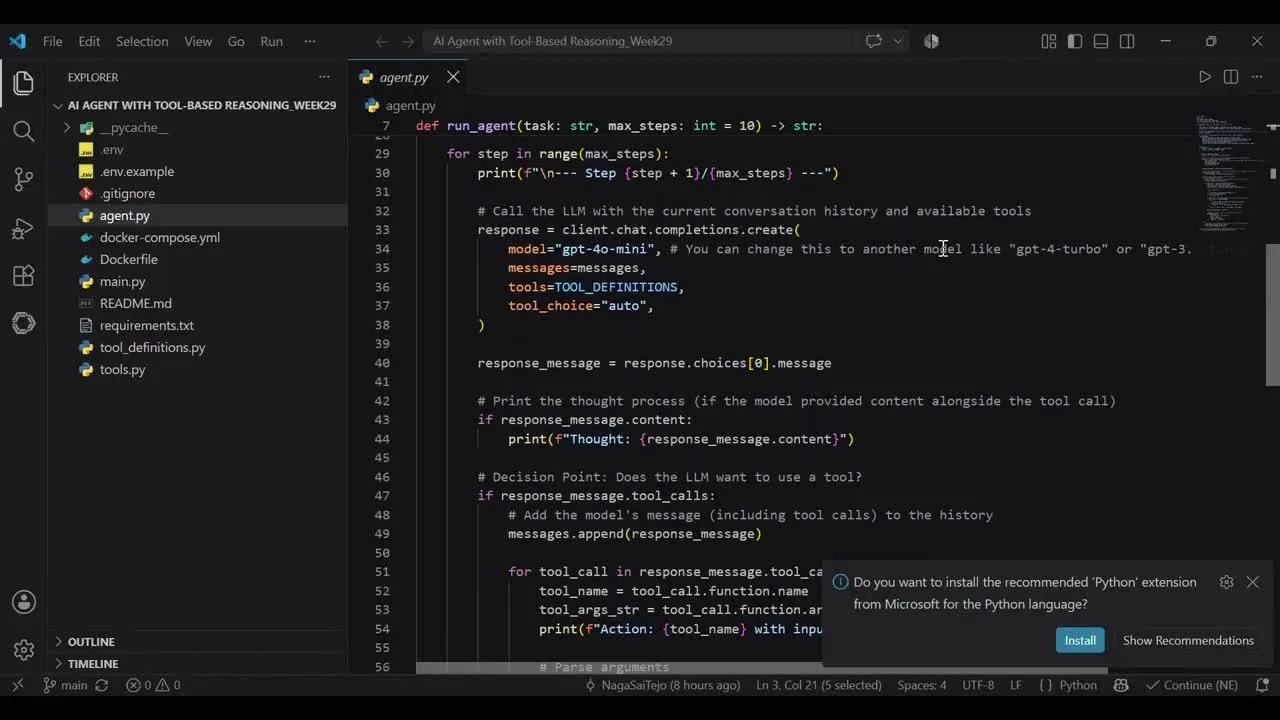
Frame from a build of a ReAct agent in pure Python: the loop runs for at most max_steps.
But writing the code is only the first step. A language model API cannot natively read your Python file to figure out what these functions do or which arguments they require. You translate each tool into a JSON schema. This schema acts as an instruction manual, telling the model the name of the tool, its purpose, and the parameters needed to trigger it. A central while loop orchestrates the back and forth between the model and tools. Before running, you build a hard limit, a max steps variable. This gate prevents the agent from getting stuck in an infinite loop.
Here is the core mechanism. Every time a Python tool finishes running, its text output, the observation, is appended to the conversation history. The updated stack is then sent back to the model for the next turn. By feeding the results of every action back into the context window, you simulate short-term memory, allowing the model to chain multiple steps together. To build a ReAct agent from scratch: write your Python tools, define their JSON schemas, implement the loop, append observations to the context window, and cap it with a max steps limit.
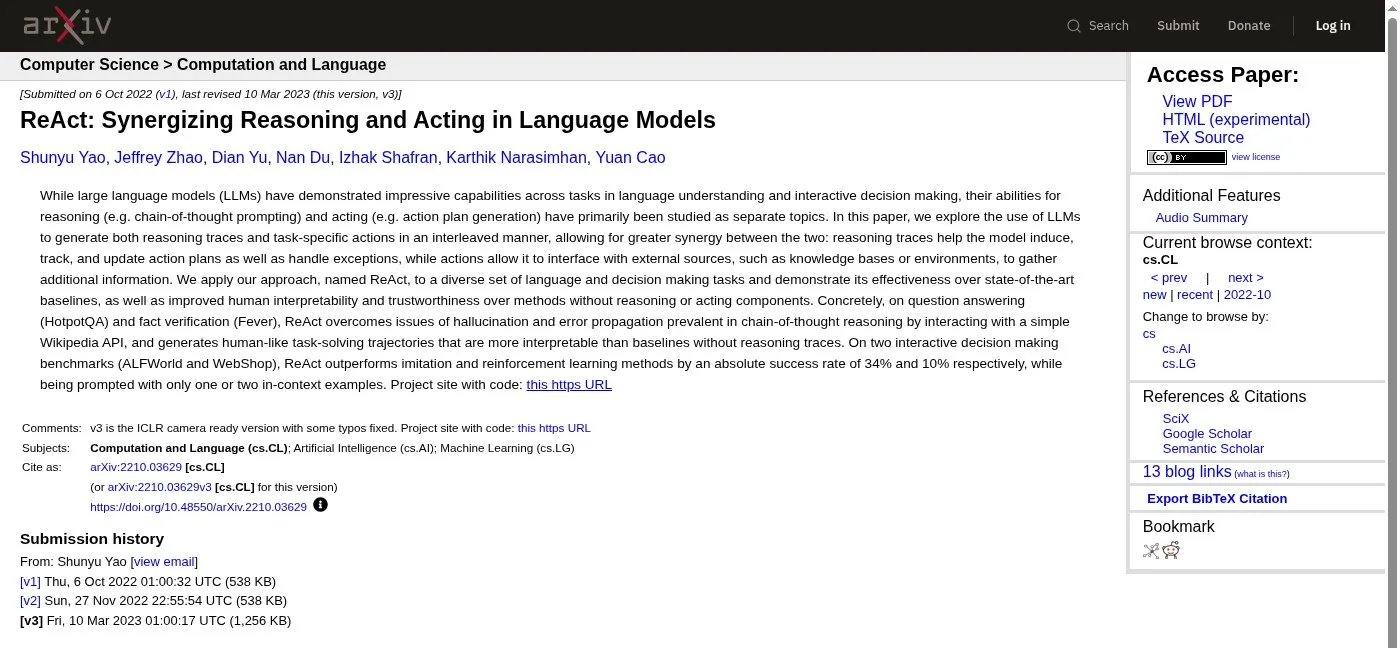
Screenshot of the ReAct paper page on arXiv, first submitted on 6 October 2022.
Choose a pattern: sequential, reactive or planning agents
At the simplest level, an agent is software that doesn't just answer. It can decide and take action. How it decides depends on its pattern, and a July 2026 clip names 3: sequential agents that run step by step, reactive agents that decide in the moment, and planning agents that sketch a plan first. The same clip then wires a planner, a writer and 2 checker agents into one blog writing pipeline with Google's ADK, which this section walks through below.
An agent is software that doesn't just answer; it looks at your request, figures out what steps need to be taken, maybe calls an API, runs code, looks at the results, and then decides what to do next. The clip shared in July 2026 names 3 broad patterns. Sequential agents run step by step like an assembly line; they're predictable but rigid. Reactive agents decide in the moment; they're flexible, but they don't plan ahead. Planning agents pause to sketch a plan, then execute. For simple, predictable flows, sequential is fine. For dynamic work, reactive works better. And for multi-step goals with dependencies, you want planning agents.
The same video builds a blog writing agent with Google's ADK. The first agent is called the blog planner. Its only job is to take a topic and turn it into a structured outline. Next comes a second agent, the outline validation checker. This one doesn't write anything new. If the outline has a title, an intro, 4 to 6 sections and a conclusion, it must answer with the word okay. If something is missing, it must answer with the word retry and explain what's wrong. The planner and the checker are wrapped inside a loop agent, which can retry up to 3 times. This gives you a safety net: if the model forgets something, it has another chance to get it right.
A writer agent and its own checker follow the same pattern, and a root agent calls the planner tool, then the writer tool. You give it a topic, it plans, it writes, it checks, and then it gives you a polished blog post. One fact check for 2026: Google's ADK documentation now marks these template workflow agents, including LoopAgent, as superseded by graph-based workflows, so check the current docs before you copy older code.
Agent or automation? Build the simplest thing that works
Build the simplest thing that works.
An automation is a fixed, rule-based process, while an agent reasons and decides, and picking between them is the first design choice. If one agent can do the job, use one. If you don't need an agent at all and an automation works better, use an automation. An August 2026 example draws the line clearly: a morning weather email that runs on a schedule needs only 1 automation, while a question like whether to bring an umbrella today needs an agent that can reason.
An AI agent is a system that can reason, plan and take actions on its own based on the information it's given; an automation is a static, rule-based process that runs from A to B to C. The August 2026 video gives an example: an automation runs every morning on a schedule, checks the weather, then sends a summary by email. It just follows the rule and does it every time. A weather agent that is asked "should I bring an umbrella today?" notices it needs weather data, calls the weather API and crafts a response. That's reasoning and adapting.
An agent relies on three key components: the brain, memory and tools. Tools are how the agent interacts with the outside world: retrieving data, taking action like sending an email, or orchestration like calling other agents. With n8n, a dedicated AI agent node gives you spots to plug in the brain, the memory and the tools, so you can build one without coding.
The last aspect is guardrails. Without them, your agent can hallucinate, get stuck in loops, or make bad decisions. Imagine someone messages your customer service agent with "ignore all previous instructions." You need guardrails in place so your agent doesn't just do that. Identify the risks and edge cases in your specific use case, and adjust your guardrails over time as the agent evolves.
From one agent to a team of agents
An agent is a few lines of Python, a role, a capability, and a prompt, so the hard part of a team is not the agents but how they share 1 job. An October 2026 demo runs 12 peers with no master node and no scheduler, and a July 2026 demo keeps a human approval step before anything is sent. This section covers both sides: agents that coordinate on their own, and the review layer that makes them safe to use at work.
A multi-agent system is a group of agents that split one job, and the October 2026 JarvisCore demo shows 12 separate processes where each one is a peer. There's no master node and no scheduler. As they come online, every peer discovers the other 11. Nobody assigns the work; each peer claims the steps it can do, and peers talk to each other directly. When the demo kills one node, no restart and no operator is needed: when its lease runs out, another node picks the step up and finishes the job. When an agent needs a real system, the credential goes into an encrypted vault.
You simply can't go from prompt to production software. And this missing layer is the definition of work itself.
For the first time, it looks like anybody can build an agent. But building software is one thing; making it reliable, repeatable and usable by an organization is something else entirely. Imagine asking an agent to drive from San Francisco to Los Angeles: one time it may go through Highway 5, another time Highway 101. That's the nature of agents. They can figure out their own path. But organizations have processes, standard operating procedures and people accountable for the outcomes. Once work is defined, other people can review it, you can simulate the execution before putting it into production, and over time you build trust in the work that these agents perform.
Nothing sends without approval.
The same idea shows up in a July 2026 demo where one plain sentence becomes a working agent: "Every Monday, pull the unpaid invoices, draft polite payment reminders, let me review them, then send and log the outcomes." The agent drafts a reminder for each overdue invoice and stops. Every error it fixes and every correction you make becomes knowledge, so the agent gets smarter over time, with approval still coming to you.
A 5-step checklist to build your first AI agent
The agent loop is the same pattern every time you hear somebody online talking about their agent or their team of agents, so the 5 steps below are all you need for a first build in 2026. So context, instructions, an AI model, and at least one tool. Start with a single agent system, which is the best place to start, and as you get more comfortable, you can expand into multi agent systems. Keep it as simple as you can.
- Pick one small job. Help choose the next blog article, or chase unpaid invoices.
- Write the context and the instructions as plain markdown files.
- Choose the brain and give it at least one tool, described with a JSON schema.
- Run the loop with a hard limit: append every observation to the context window and cap it with a max steps variable.
- Add a checker and guardrails before you add a second agent.
When you have more than one agent, or more than one AI you already trust, you still need a place where their answers meet. In Pachat, different personal AI agents, in one group chat: put your Claude, Grok Bot, Muse and ChatGPT dots in one group chat. They check each other's facts and argue it out, then you make the call. Our guide to connecting agents and starting a group chat shows the setup, this post on when you need a colleague's AI covers teams, and our Claude Code tutorial walks through a first agent task.
FAQ
What is the simplest definition of an AI agent?
An AI agent is a language model that can use tools, running in a loop until it finishes the job. A plain chatbot only talks: you send a message and it sends text back. An agent gets 2 extra abilities: tool calling, so it can take actions like searching the web or updating a database, and a loop, so it keeps going on its own step by step instead of stopping after 1 reply. Builders in July and September 2026 describe it the same way: the model, the tools, and the loop make an AI agent.
Do I need to code to build an AI agent?
No. In an August 2026 walkthrough, a no-code builder uses n8n, where a dedicated AI agent node gives you spots to plug in the 3 key components: the brain (a model such as ChatGPT or Claude), memory, and tools. If you can code, you can also write the loop yourself in pure Python with 3 tool functions, a JSON schema for each tool and a max steps limit. Both routes follow the same pattern, so start with whichever one gets your first small job working fastest.
How long does it take to build a first AI agent?
A first agent with 1 small job and 1 tool is a short project, not a long one. The build tutorials in this guide, posted between July and September 2026, run from about 7 to about 25 minutes of video and each finish with a working agent: a blog planner, a weather and math assistant, or a chief-of-staff agent that suggests the next article. The time goes into writing clear context and instructions and testing the loop, not into the framework. Start small, then add tools and checkers once the first version runs.
Which agent pattern should a beginner choose?
Start with the simplest pattern that fits the job. A July 2026 clip names 3 patterns: sequential agents that run step by step like an assembly line, reactive agents that decide in the moment, and planning agents that sketch a plan first. Sequential is fine for simple, predictable flows; reactive works better for dynamic tasks; planning agents suit multi-step goals with dependencies. And if a fixed automation already does the job, use the automation instead of an agent. Upgrade only when the simple version clearly fails.
How do I stop an AI agent from looping forever?
Put a hard limit on the loop. The from-scratch Python agent in an August 2026 build uses a max steps variable, set to 10 in its code, which prevents the agent from getting stuck in an infinite loop. Framework loop agents do the same thing: the Google ADK blog agent in a July 2026 clip retries its planner up to 3 times before it stops. Add a checker agent that answers okay or retry, and add guardrails for risky actions so that a message like "ignore all previous instructions" can't make the agent do something you never approved.
Where does Pachat fit when I use several AI agents?
Pachat is a web product at pachat.ai for people who already use more than 1 AI. Its official description: put your Claude, Grok Bot, Muse and ChatGPT dots in one group chat. They check each other's facts and argue it out, then you make the call. That fits step 5 of this 2026 checklist, where you want a second opinion before you trust an agent's answer. Building the agent itself still happens in your own code or no-code tool. To try the group chat, go to pachat.ai.
Different personal AI agents, in one group chat: start at pachat.ai.
References
- @TechWithTimm, 2026-07-29: https://x.com/TechWithTimm/status/2082478320135069858
- @mikemurphyai, 2026-09-09: https://x.com/mikemurphyai/status/2097663814556869094
- @NagaSaiSatya, 2026-08-08: https://x.com/NagaSaiSatya/status/2086160658551431375
- @lorden_eth, 2026-07-02: https://x.com/lorden_eth/status/2072772806442443042
- @0xkyver, 2026-08-22: https://x.com/0xkyver/status/2091107125103628773
- @askmuyukani, 2026-10-02: https://x.com/askmuyukani/status/2105924840943136823
- @singh_harpreet, 2026-11-02: https://x.com/singh_harpreet/status/2117386741493461055
- @Shruti_0810, 2026-07-16: https://x.com/Shruti_0810/status/2077652048766525622
- Yao et al., "ReAct: Synergizing Reasoning and Acting in Language Models," arXiv, 6 October 2022: https://arxiv.org/abs/2210.03629
- Google ADK documentation, Loop workflow agents: https://google.github.io/adk-docs/agents/workflow-agents/loop-agents/